
The Claude Video Editing Stack: 5 Tools That Run It
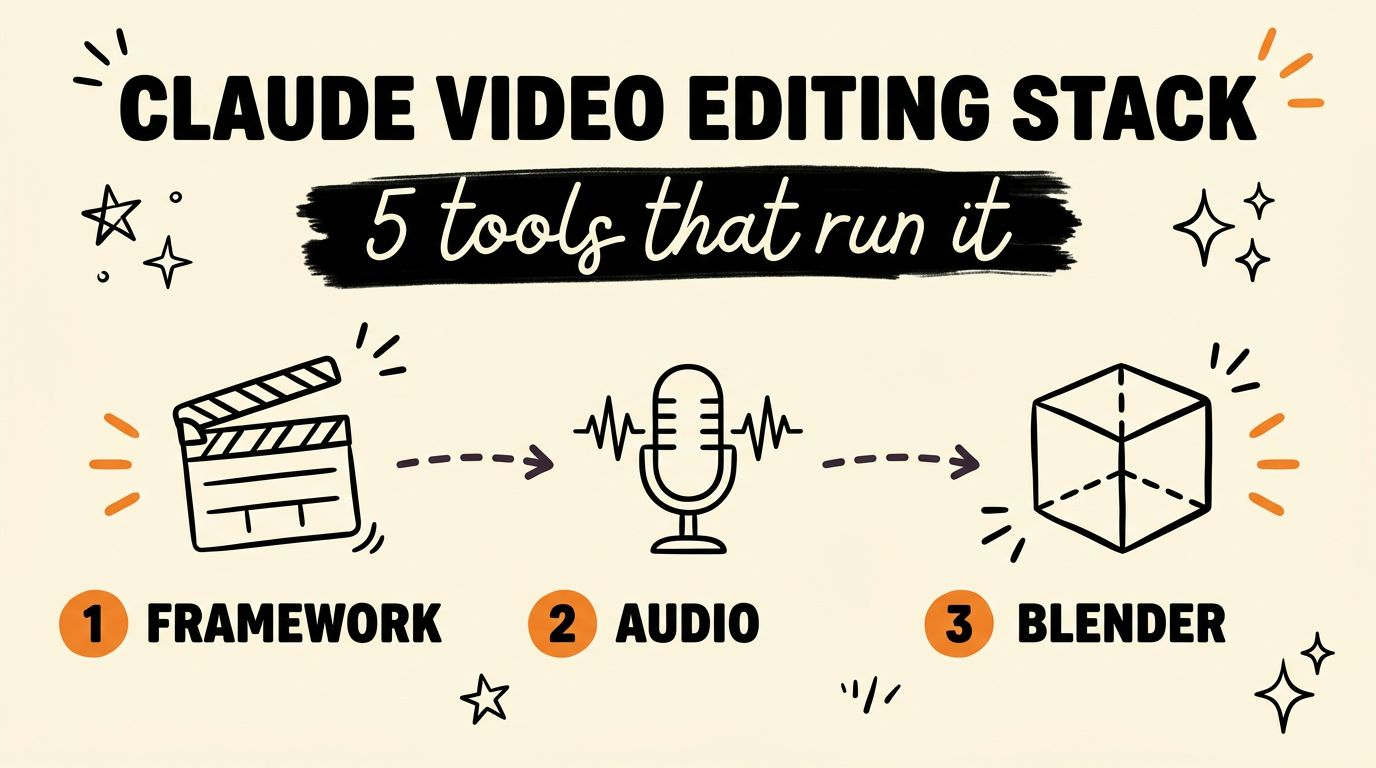
A Claude-powered video editing system runs on five pieces: HyperFrames or Remotion to hold the project, Whisper to transcribe the audio and time the subtitles, Clack to tell Claude what each sound is, Demucs to separate music from effects, and Blender to build 3D assets for free. Claude Code sits on top and drives all five from the terminal. Everybody says Claude edits their videos, and almost nobody names the tools, so here is the whole stack and what each part is actually for.
Get the Free Guide
The free guide walks through installing every tool in the stack, where the skill folder goes in Claude Code and Codex, and the exact commands I run on a new edit.
Get the free Claude Video Editing Stack guide →
Why Does Claude Need a Stack Instead of One Editing App?
Claude Code is a coding agent, so it edits video the way it edits code: by writing and running files. It has no timeline to click on and no preview window to scrub. That sounds like a limitation until you see what it buys you. A video that exists as code re-renders with one changed line, versions in git, and can be produced a hundred times with different text.
The catch is that an agent writing code cannot see or hear the footage. So each tool in this stack exists to hand Claude one sense it does not have on its own:
| Tool | What it gives Claude |
|---|---|
| HyperFrames or Remotion | A project to write into, and a renderer |
| Whisper | Every spoken word, with timings |
| Clack | A label for each sound in the audio |
| Demucs | Music and effects as separate stems |
| Blender | 3D objects it can build itself |
Five tools sounds like a lot. Four of them are one-time installs you never think about again.
What Holds the Project: HyperFrames or Remotion
Pick HyperFrames or Remotion first, because everything else writes into it. Both let you describe a video in code and render it to MP4, so Claude can create scenes, position captions and change timings by editing files instead of dragging clips.
Remotion is the React one, and it has been around long enough that plenty of free Claude Code skills for Remotion are already written. HyperFrames is HTML and CSS based, so there is no React learning curve if you have never touched a component. The real difference is which syntax you would rather read when something looks wrong at second 14.
Choose one and stay there. Half the pain people report with AI video comes from switching frameworks mid-project and asking Claude to port scenes across.
What Handles Audio: Whisper, Clack and Demucs
Audio is where Claude is blindest, and it takes three tools to fix that. Install Whisper first, then add the other two only if sound design matters to your edits.
- Whisper transcribes the audio and returns word-level timings. That is what makes subtitles land on the right frame instead of drifting half a second behind the voice. Without it, Claude is guessing where words fall.
- Clack identifies what each sound in a clip is. A door, a footstep, a room tone. Claude can then reference sounds by name rather than by timestamp, which is the difference between “duck the music at 00:12” and “duck the music under the door slam”.
- Demucs separates one mixed audio file into stems, so music comes apart from effects. Once they are separate files, Claude can lower the music under dialogue, replace the track entirely, or keep the effects and drop the music.
Most people stop at Whisper and get captions working, which is fine for talking head clips. The last two matter once you are cutting anything with a soundtrack.
Why Blender Saves You Credits on Every Shot
Blender is in this stack for one reason: Claude can build 3D objects inside it for free, so you stop paying a video model for every shot. Blender is free, open source, and scriptable in Python, which means Claude can write a script that creates a model, lights it, and renders it out.
Compare that to generating the same shot with a hosted AI video model. Every render costs credits, every revision costs credits again, and you cannot change one detail without re-rolling the whole thing. A Blender script is the opposite. Change the number, run it again, pay nothing. If you have watched your bill climb while iterating on a single clip, this is the fix.
Blender is the piece most people skip, usually because 3D feels like a different job. You are not learning Blender here. Claude writes the Python and you look at the render.
How Do You Hand the Stack to Claude Code?
Install the tools, then give Claude one skill file that tells it how to use them. The order that works:
- Install your framework. HyperFrames or Remotion, not both.
- Install Whisper, then test it on one clip before anything else.
- Add Clack and Demucs if your edits involve music or sound effects.
- Install Blender and confirm Claude can run a Python script against it.
- Write a skill file naming each tool, what it is for, and the exact commands.
That last step is the one that makes it run without you. Claude Code does not infer your pipeline from the installed binaries, it reads instructions. Once the skill exists, a single sentence can drive a full edit, and the stack stays the same whichever video style you are building.
FAQ
Do I need all five tools to start?
No. Start with a framework and Whisper, which gets you a renderable project and accurate captions. Clack, Demucs and Blender each solve a specific problem, so add them when you hit that problem.
HyperFrames or Remotion, which should I pick?
Remotion if you already write React or want the larger library of existing skills. HyperFrames if you would rather stay in HTML and CSS. Both render to MP4 and both work with Claude Code, so pick on syntax preference.
Does this replace an editing app like Premiere or CapCut?
For repeatable short-form work, mostly yes, because the whole edit is code that re-renders on command. For one-off footage work where you need to watch and feel the cut, a timeline editor is still faster.
Why use Blender instead of an AI video generator?
Cost and control. Blender is free and Claude scripts it, so revisions cost nothing, while a hosted video model charges credits for every shot and every re-roll.
Is Whisper good enough for subtitle timing?
Whisper returns word-level timings, which is what captions need to land on the correct frame. Accuracy drops with heavy accents, crosstalk and loud background music, so run Demucs first if the audio is mixed with a soundtrack.
Put It Together
The Claude video editing stack is five installs and one skill file: HyperFrames or Remotion for the project, Whisper for words, Clack and Demucs for sound, Blender for 3D. Hand that to Claude Code and the editing runs while you do something else. Grab the free guide above for the install commands, or if you want the full system and the builds behind it, Join the Vibe Coding Build →