
Vercel Agent Browser: Give Your Agent Browser Control
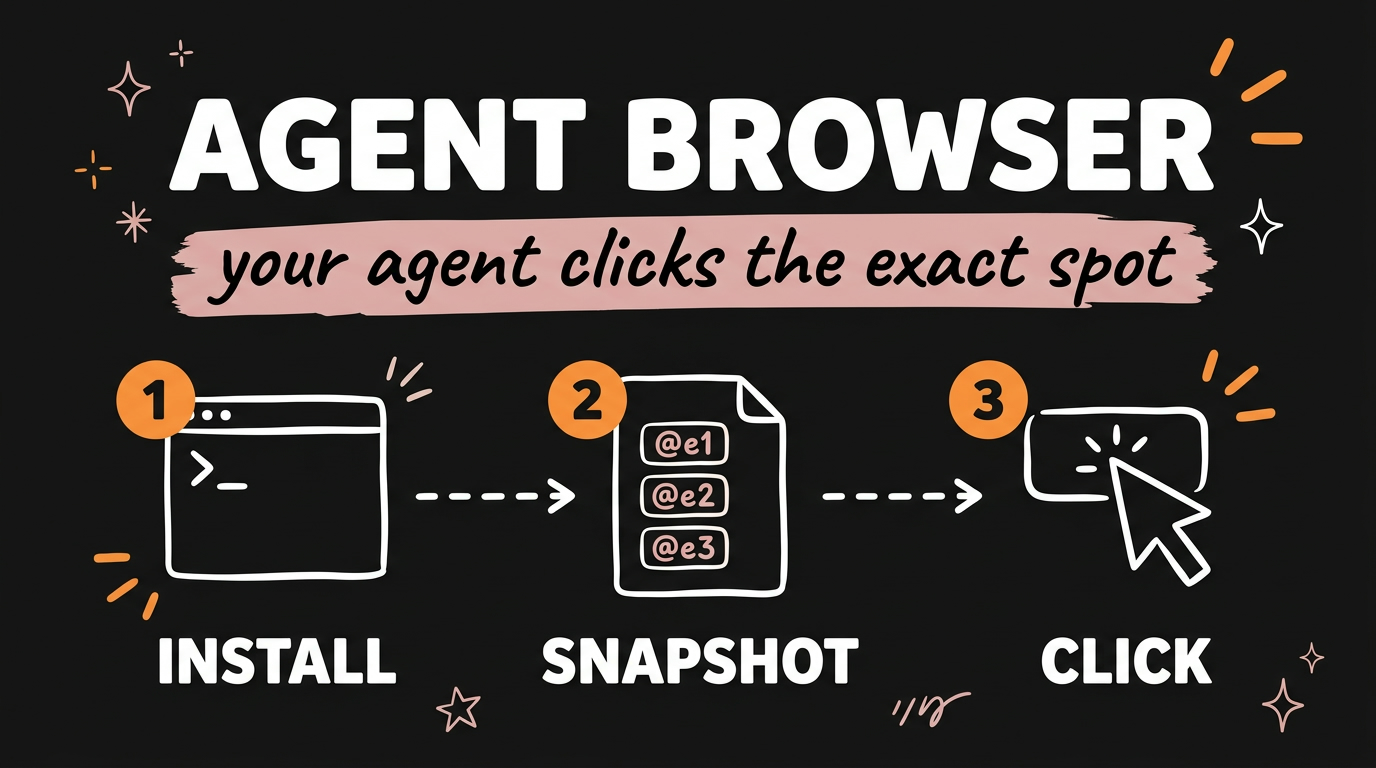
Vercel Agent Browser is a free, open-source command line tool that lets a coding agent like Claude Code or Codex drive a real Chrome browser: open a page, read it as an accessibility tree, and click or type on a specific element. Instead of taking a screenshot and guessing coordinates, it hands every button and field its own short reference such as @e1, and your agent acts on that reference. Vercel Labs published it under the Apache-2.0 license, it sits at about 50,300 GitHub stars as of November 2026, and you install it with one npm command.
That one design choice is the whole story. Screenshot-driven browser automation sends an image into the model on every step, which is expensive and slow. Text with stable refs is small, exact, and repeatable.
Get the Free Guide
The guide walks through installing Agent Browser, wiring it into Claude Code or Codex as an MCP server, and the exact commands I run on a real page.
Get the free Agent Browser Setup Guide →
What Is Vercel Agent Browser?
Agent Browser is a native Rust CLI from Vercel Labs that gives AI agents browser automation from the shell. The repo describes it in one line: open pages, read them as an accessibility tree, and act on elements. The browser stays open between commands through a background daemon, so every step your agent takes is one short shell call rather than a fresh session.
The core loop is five commands:
1
2
3
4
5
agent-browser open example.com
agent-browser snapshot -i       # interactive elements, each with a ref
agent-browser click @e1         # act on a ref from that snapshot
agent-browser get url           # check the result
agent-browser close
Run snapshot -i on example.com and you get back a single line:
1
- link "Learn more" [ref=e1]
That is the entire page state your agent needs to act. Compare that to a 1024 by 768 screenshot of the same page.
How Does It Cut Token Usage?
Refs remove the two most expensive parts of browser automation: the image and the guessing. A screenshot has to be encoded as image tokens, described, and then reasoned about until the model picks pixel coordinates. A snapshot is plain text, and @e1 is unambiguous.
| Approach | What the agent receives | What the agent does |
|---|---|---|
| Screenshot-based tools | A full page image every step | Estimates where to click |
| Agent Browser | A text tree with refs like @e1 |
Clicks the exact element |
In the video I quoted the numbers going around for this: roughly five times faster and cheaper than Playwright MCP, with about 90% less token use. One caveat on where those come from. The repo ships benchmarks/ and evals/ directories, but the README publishes no benchmark table and never mentions Playwright, so treat the multiples as community claims rather than a vendor figure. The mechanism behind them you can check yourself: the snapshot above is one line of text.
Two smaller savings are built in. agent-browser screenshot --if-changed skips writing an image when the page has not changed, which the docs recommend for that reason, and snapshot deltas let an agent fetch only the lines that moved. If you have been chasing context costs, this pairs well with the four Claude Code plugins that cut token usage.
How Do You Install It?
Two commands, and the second one only runs the first time:
1
2
npm install -g agent-browser
agent-browser install           # download Chrome for Testing (first time only)
Other ways in, straight from the README:
- Homebrew:
brew install agent-browser, thenagent-browser install. - Linux:
agent-browser install --with-depsalso pulls the browser’s system libraries. - No install at all:
npx agent-browser open example.com.
Native binaries ship for macOS, Linux and Windows, and the npm package picks the right one for your machine. Chrome for Testing is the default engine, or you can attach to a Chrome you already have running with --cdp or --auto-connect.
How Do You Wire It Into Claude Code or Codex?
Agent Browser starts a Model Context Protocol server over stdio with agent-browser mcp, so any MCP client can load it as typed tools. The docs give this client config:
1
2
3
4
5
6
7
8
{
  "mcpServers": {
    "agent-browser": {
      "command": "agent-browser",
      "args": ["mcp"]
    }
  }
}
The default tool profile is core, which the docs describe as keeping MCP context small: navigation, snapshots, interaction, waits, reads, screenshots, JavaScript eval, close, tab basics, and profile discovery. You widen it only when you need it:
1
2
agent-browser mcp --tools core,network,react
agent-browser mcp --tools all
The full profile list is core, network, state, debug, tabs, react, mobile, and all. Tools arrive prefixed, so you will see agent_browser_open, agent_browser_snapshot, agent_browser_click, agent_browser_fill, and agent_browser_eval in your client. Each one has typed fields like url, selector, text, and key, which means approval prompts show you what the agent is about to do instead of a raw command array.
You can also skip MCP entirely and let the agent call the CLI. Install the discovery skill with npx skills add vercel-labs/agent-browser, or add this line to your AGENTS.md:
1
2
Use `agent-browser` for browser automation. Before the first use, run
`agent-browser skills get core` and follow it.
That second route is how I run it most days, since a shell call needs no client restart. For more on picking between MCP servers and plain CLIs, see the four MCPs that make Claude Code actually useful.
What Can It Actually Do On A Page?
More than click and type. The command surface is grouped, and a few of those groups are why I keep it installed:
- Read:
open,read,snapshot,get,is,find - Interact:
click,fill,type,press,select,check,scroll,drag,upload - Capture:
screenshot,pdf,record,download,diff - State and network:
cookies,storage,network,eval,clipboard - Debug:
console,errors,inspect,trace,profiler,vitals,react,a11y - Sessions and auth:
session,state,auth,profiles
Iframes get inlined under the iframe element during a snapshot and their refs carry frame context, so fill @e4 works on a payment iframe with no frame switching. agent-browser batch runs several commands in one invocation, which matters when routes or cookies need staging before the first navigation. If your job is pulling data off pages rather than clicking through them, my post on free AI web scraping with Agent Reach covers that half.
FAQ
Is Vercel Agent Browser free?
Yes. It is open source under the Apache-2.0 license from Vercel Labs, and the CLI and MCP server need no API key. The optional agent-browser chat command is the one exception, since it requires an AI_GATEWAY_API_KEY to be set.
Do I need Playwright or Puppeteer installed?
No. Agent Browser is a native Rust binary that talks to the browser over the Chrome DevTools Protocol, and agent-browser install downloads Chrome for Testing for you.
What is a ref in Agent Browser?
A ref is a short identifier such as @e1 that Agent Browser assigns to each element when you run a snapshot. Your agent passes the ref to click or fill instead of a CSS selector or pixel coordinates, so the action lands on the exact element.
Does it work with Codex and other agents?
Yes. Anything that speaks Model Context Protocol can load agent-browser mcp, and any agent that can run shell commands can use the CLI directly after reading agent-browser skills get core.
Can it reuse my logged-in session?
Yes. The session, state, auth, and profiles commands persist browser state, and each --session gets its own daemon and browser. A headless daemon exits after an hour idle and saves state first when session persistence is configured.
Give Your Agent A Browser This Week
Vercel Agent Browser fixes browser automation for AI agents by swapping screenshots and coordinate guessing for a text tree and element refs. Install it with two commands, wire it in as an MCP server or a plain CLI, and your agent can log in, fill forms, read results and report back without you touching the mouse. The free guide above has the setup steps and the commands I run on real pages.
If you want the content side of this handled the same way, paste any link or idea and get a published video in under 3 minutes, with DM automation armed to capture leads. Meet Content Engine →