
Repurpose One Video Into Three Assets in Two Minutes
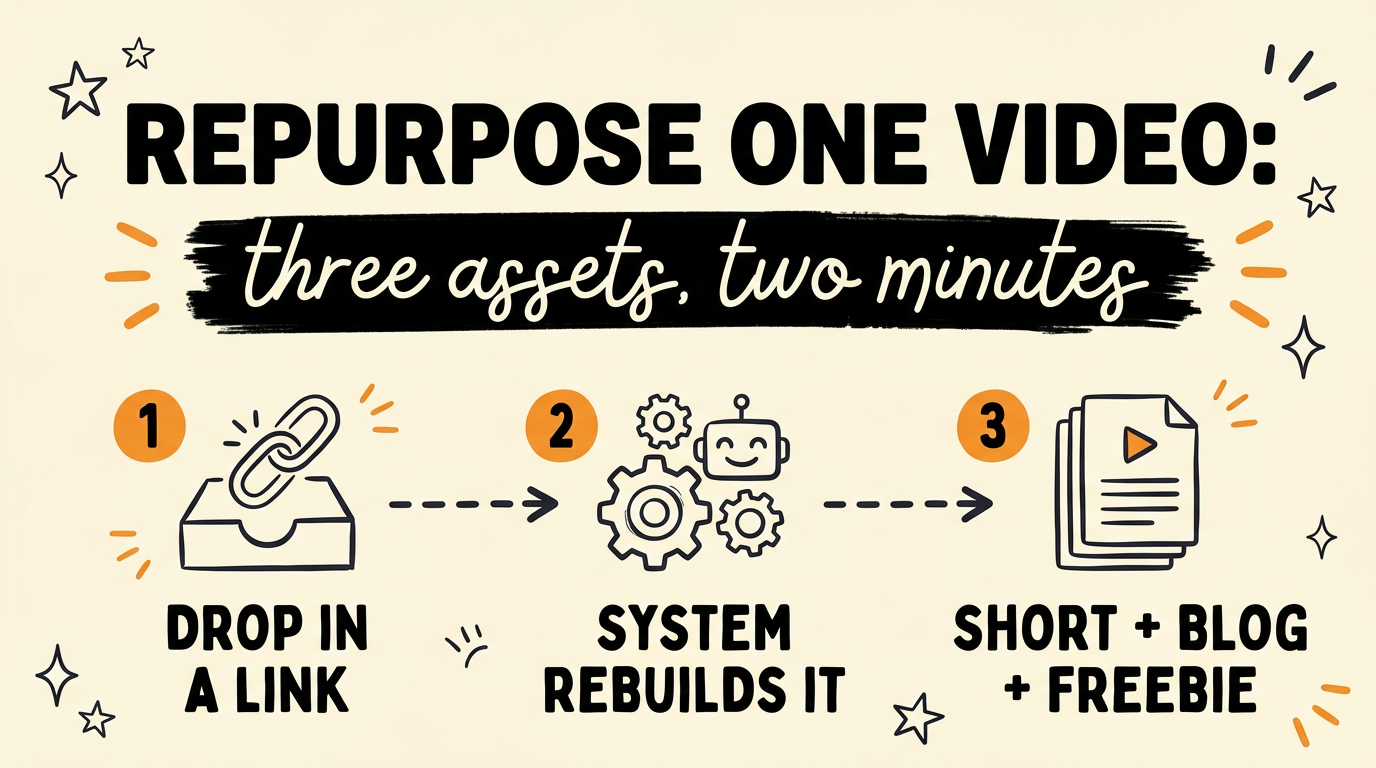
You can repurpose one video into three finished assets, a short-form clip, an SEO blog post, and a downloadable lead magnet, in about two minutes of hands-on work instead of three hours. A Chrome extension pulls the transcript from your source, rewrites it in your brand voice, generates the voiceover and a talking avatar, and assembles the vertical video. The same source then becomes the blog post and the freebie PDF. You create once, review two checkpoints, and the system does the rest.
Get the Free Guide
The guide walks through the full pipeline: the tool at each stage, the order the stages have to run in, and the one review step that keeps everything on-brand.
Get the free Repurpose System Playbook →
What Does It Mean to Repurpose One Video Into Three Assets?
Repurposing one video into three assets means a single source input produces a short-form video, a blog post, and a lead magnet without you editing, rewriting, or recording each one by hand. The source can be a YouTube video, a short-form clip that is already doing well, or an old blog post. One connected system reads it once and builds every output from that same material.
Most creators are not short on ideas. They are short on the hours it takes to turn one idea into a week of posts. The manual version of this job means watching your own video back, transcribing it, rewriting the script three times for three formats, recording a voiceover, and cutting a vertical edit. That is the afternoon this replaces. It is the same problem automatic content repurposing and batch AI talking head videos are built to solve, taken one step further into the blog and the freebie.
How Does the Chrome Extension Rebuild Your Video Automatically?
The extension runs a fixed pipeline where each stage hands clean input to the next. You paste a link or open an article, pick a few options, and the backend on your own machine works through the steps.
- Pull the transcript. For a YouTube video it reads the caption track. For an Instagram reel or a TikTok it uses a scraper. For an article it grabs the page text.
- Rewrite the script. Claude, the AI model from Anthropic, turns the transcript into a 45 to 55 second script in your brand voice, then checks the word count and retries if it is off.
- Approve the script. The run pauses here. You read the script and approve it before anything is generated. This is the first of two review points.
- Write the captions and save the record. The system generates a caption for every platform and creates an Airtable row for the piece.
- Generate the voiceover. ElevenLabs produces the narration in your cloned voice.
- Generate the avatar. HeyGen builds the talking head and lip-syncs it to that voiceover file. You can also upload a clip of yourself instead.
- Assemble the video. Remotion composes the 1080 by 1920 video with your chosen B-roll style and word-timed captions.
- Review and schedule. You watch the finished video, then the system posts or schedules it across 11 accounts on 9 platforms through Blotato.
As of September 2026 the hands-on time is about two minutes: paste the link, approve the script, review the video. The generation steps run on their own in between.
How Does the Same Source Become a Blog Post and a Lead Magnet?
After the video is scheduled, an optional blog step reuses the same transcript and script. It runs a headless Claude session that writes an SEO and GEO blog post, generates a header image, builds a branded freebie PDF, registers that freebie on the download page, and publishes the post to GitHub Pages.
The freebie is the lead magnet. You attach its keyword to the video caption, so when someone comments that word the DM automation sends them the PDF. One recording now feeds:
- A vertical short on every platform you post to
- A blog post that can rank in Google and get cited by AI search
- A gated PDF that collects an email before the download
That is three distribution channels from one filming session, and the blog post keeps working long after the short drops out of the feed.
What Do You Need to Run the System?
The system is a Chrome extension plus a small Node.js backend you run on your own machine. Each stage is a separate API, so you bring your own keys.
| Stage | Tool | What it does |
|---|---|---|
| Script and captions | Claude (via OpenRouter) | Rewrites the transcript, writes 10 platform captions |
| Voiceover | ElevenLabs | Narration in your cloned voice |
| Talking head | HeyGen | Avatar lip-synced to the voiceover |
| Video assembly | Remotion | 1080x1920 render with B-roll and captions |
| Records | Airtable | One row per piece, with the final MP4 attached |
| Publishing | Blotato | Schedules to 11 accounts across 9 platforms |
There is no database. The state lives in the browser, in Airtable, and in two local files. The extension is licensed through the AISocialHub community rather than sold as open source.
What Is the One Step People Get Wrong?
The order matters: the voiceover has to be generated before the avatar. HeyGen lip-syncs the talking head to the actual audio file, so if you build the avatar from text first, the mouth never matches your cloned voice and the timing drifts against the captions. Generate the ElevenLabs audio, then hand that file to HeyGen. The pipeline enforces this order for you, but it is the thing that breaks first when people wire their own version.
The other habit worth keeping is the script-approval gate. It costs ten seconds and it is the cheapest place to catch a script that missed the point of the source before you spend credits on voice, avatar, and render.
FAQ
How long does it actually take?
The hands-on time is about two minutes: paste the link, approve the script, review the finished video. The generation steps run in the background between those checkpoints, and a heavier B-roll style adds render time.
Do I need to know how to code?
No. You install the Chrome extension, run one backend command on your machine, and paste your API keys into a settings file once. After that it is a browser workflow.
What sources can I use?
A YouTube video, an Instagram reel, a TikTok, or any article page open in Chrome. The system pulls the transcript or the page text and works from that.
Is the video fully automatic?
The generation is automatic, but there are two review points you control: you approve the rewritten script, and you review the finished video before it schedules. You never touch an editing timeline.
Where does the blog post get published?
To a GitHub Pages site. The blog step writes the post, builds the freebie PDF, creates the header image, and pushes it live, then adds the freebie keyword to your download page.
Conclusion
Repurposing is where most content calendars fall apart, because the filming is the fun part and the reformatting is the grind. A pipeline that rebuilds the script in your voice, generates the voiceover and avatar, assembles the video, and then reuses the same source for a blog post and a lead magnet turns one recording into a week of distribution. You stay in control of the script and the final cut, and the machine does the parts in between.
If you want the full build and the community around it, Join the Vibe Coding Build →.