
Prompt Master: The Free Claude Skill That Saves Your Limit
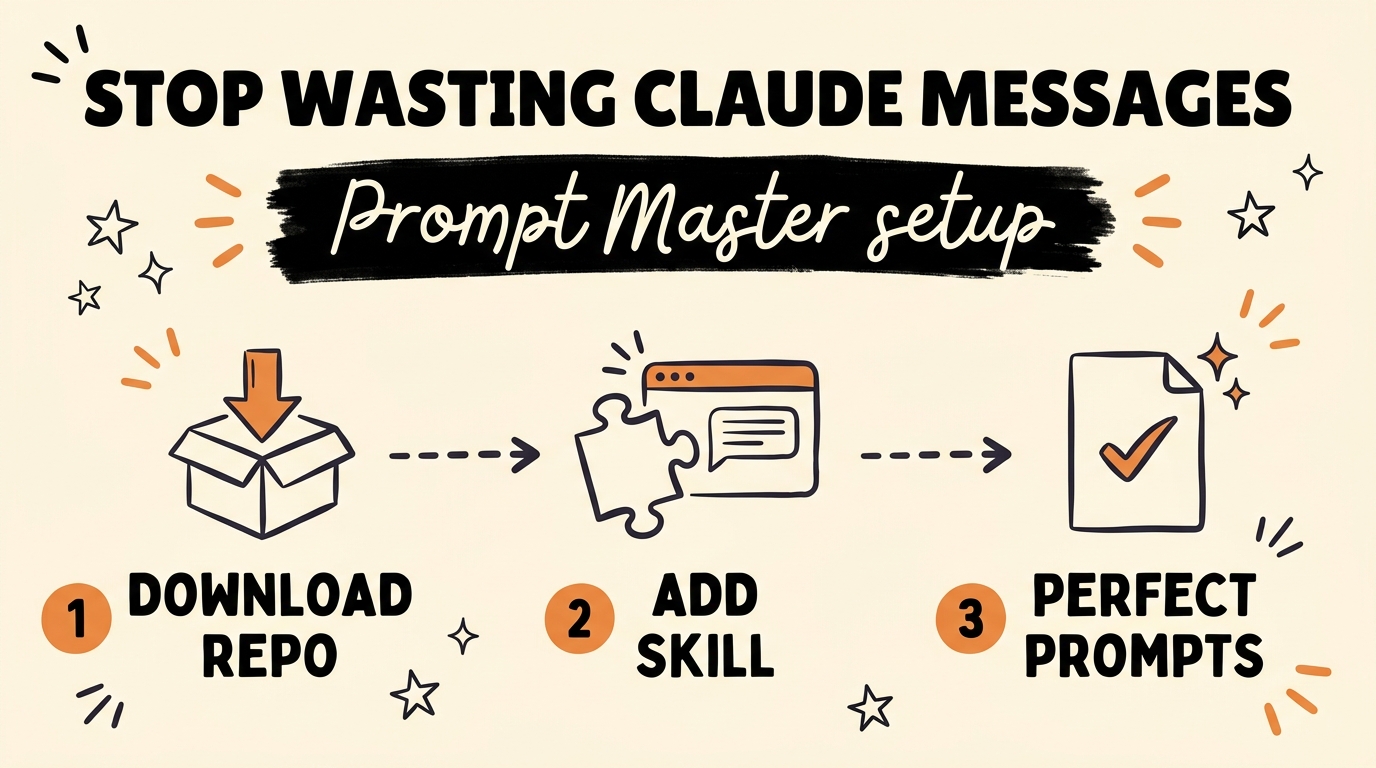
The people who never hit their Claude limit aren’t better at prompting than you — they install Prompt Master, a free, MIT-licensed Claude skill with over 11,000 GitHub stars that turns your rough idea into a finished, structured prompt before Claude ever runs it. Instead of burning three extra messages explaining what you actually meant, you type one messy sentence and get back a production-ready prompt with an output structure, file boundaries, and a stop condition built in. As of August 2026, setup takes about one minute.
Get the Free Guide
The guide walks you through the full Prompt Master setup, the three guardrails every prompt needs, and a copy-paste example for your first run.
Get the free Prompt Master Setup Playbook →
Why Do You Keep Hitting Your Claude Limit?
Most people hit their Claude limit because of correction loops, not heavy usage. You type a rough prompt, Claude does exactly what you typed — not what you meant — and then you spend three or four more messages steering it back on course. Every one of those corrections counts against your limit just like a real request.
The pattern looks like this: vague request, wrong output, clarification, partially wrong output, another clarification. That’s five messages spent on work that one well-structured prompt could have finished in a single pass. If you’ve ever felt like you’re “bad at prompting,” you’re probably just skipping the structure step — the same gap I break down in my Fable 5 prompting guide.
The fix isn’t discipline or a prompt-engineering course. It’s a guardrail that builds the structure for you, automatically, before the expensive run happens.
What Is Prompt Master?
Prompt Master is a free, open-source Claude skill that rewrites your messy one-sentence request into a complete, structured prompt before Claude executes anything. It’s MIT licensed, has more than 11,000 stars on GitHub as of August 2026, and costs nothing to install or run.
Here’s the workflow once it’s installed: you describe what you want in one rough sentence — “make me a landing page for my newsletter” — and Prompt Master hands you back a finished prompt with three guardrails baked in:
| Guardrail | What it does | What it prevents |
|---|---|---|
| Output structure | Defines exactly what format the answer should take | Rambling responses you have to reformat |
| File boundaries | Names which files Claude may touch | Claude editing things you never asked about |
| Stop condition | Tells Claude when the task is done | Endless “want me to also…” scope creep |
Because those three things are decided before the run, Claude does the right thing on the first message instead of the fourth. If you like installing ready-made skills like this one, my roundup of free Claude skills by department has more you can add in minutes.
How Do You Install Prompt Master in Claude?
Installing Prompt Master takes about one minute and requires no coding experience. Here’s the full setup:
- Download the Prompt Master repo from GitHub (it’s free and MIT licensed — no signup, no license key).
- Open Claude and go to Customize → Add skills.
- Add the downloaded skill and confirm. That’s it — Prompt Master now runs when you ask it to shape a prompt.
From then on, your workflow changes from “write a careful prompt” to “write one messy sentence, get a finished prompt back, run it.” The skill does the prompt engineering; you just describe the outcome you want.
For the full setup walkthrough with screenshots and a first-run example, grab the free Prompt Master Setup Playbook.
Does Structured Prompting Actually Save Messages?
Yes — one structured request typically replaces a chain of three to five corrective messages. The math is simple: if a vague prompt costs you one request plus three corrections, that’s four messages for one outcome. A Prompt Master run costs you the shaping step plus one clean execution — and the shaping step is where the wrong turns get caught, before they burn your limit.
There’s a second, less obvious saving: shorter conversations stay sharper. Long correction threads bloat your context window, and Claude’s answers degrade as the thread grows — a problem I’ve written about in how to beat context rot in Claude Code. Getting it right on message one isn’t just cheaper; it keeps the whole session smarter.
The people who “never hit their limit” aren’t rationing messages. They’re just not paying the correction tax in the first place.
FAQ
Is Prompt Master really free?
Yes. Prompt Master is MIT licensed and free to download from GitHub, with over 11,000 stars as of August 2026. There’s no paid tier required to use the skill.
Do I need coding experience to install Prompt Master?
No. Installation is download the repo, open Claude, go to Customize, add the skill — about one minute total with no code to write.
Will Prompt Master itself use up my Claude messages?
The shaping step is a small request, but it replaces the three to five corrective messages a vague prompt usually costs you. In practice you come out well ahead on your limit.
What is a stop condition in a prompt?
A stop condition tells Claude exactly when the task is finished, so it doesn’t keep expanding scope or asking follow-up questions. It’s one of the three guardrails Prompt Master builds into every prompt, alongside output structure and file boundaries.
Does Prompt Master work with Claude Code?
Yes. Prompt Master installs as a Claude skill, so it works anywhere Claude skills run, including Claude Code and the Claude apps as of August 2026.
Stop Paying the Correction Tax
Hitting your Claude limit usually isn’t a usage problem — it’s a structure problem, and Prompt Master solves it for free in about a minute. Install the skill, feed it messy sentences, and let it hand Claude prompts with the output structure, file boundaries, and stop conditions that get things right on the first message.
If you want to go deeper than one skill — building full AI systems that create, repurpose, and publish content for you — that’s exactly what we do inside the community. Join the Vibe Coding Build →