
Short-Form Video Production Studio: One Link, One Short
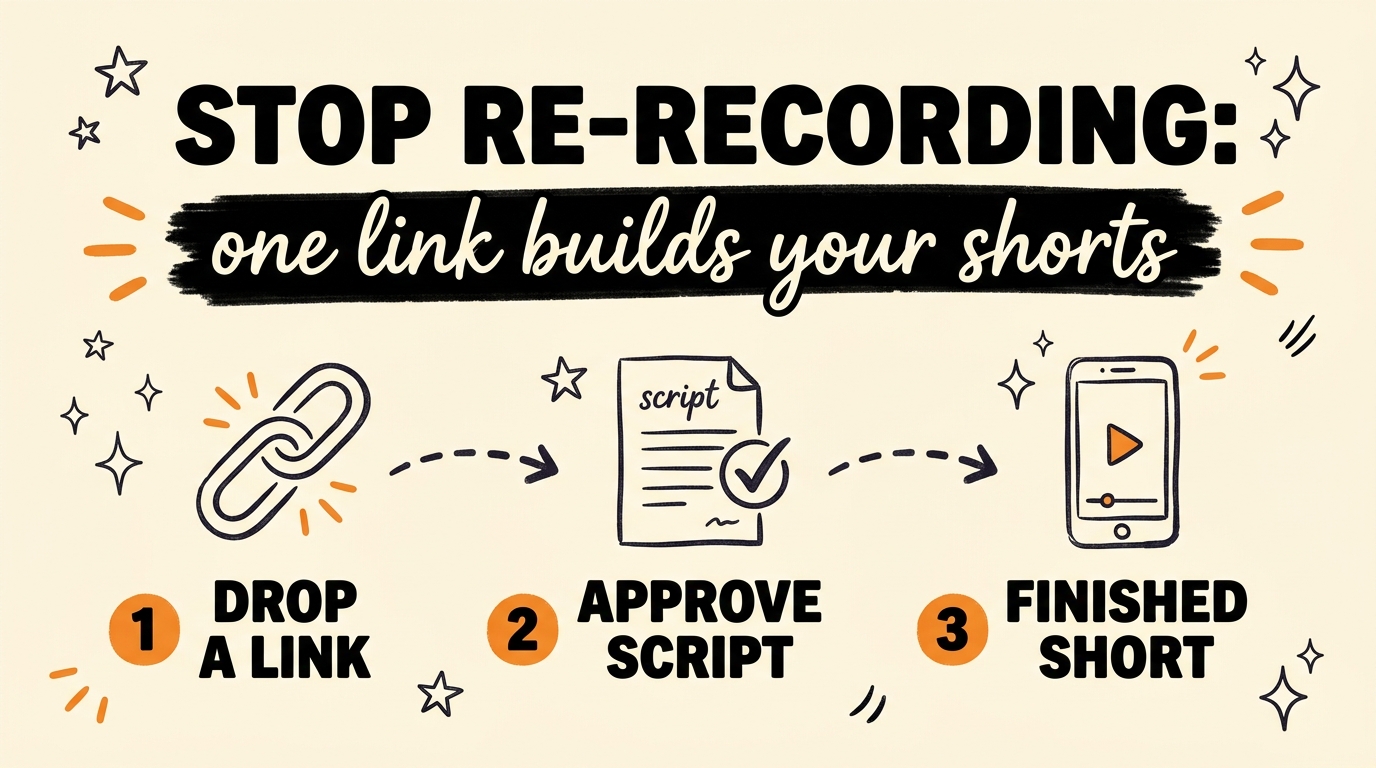
A short-form video production studio is a pipeline that turns one link into a finished short: you drop in a YouTube video, a website, or a raw idea, the system writes the script, holds it until you approve it, then produces the video with captions formatted for every platform. I built one, System 03 in my GrowthOS build, because I used to re-record the same line fourteen times and still hate the result. This week I posted three shorts without touching a camera, and all three hit.
Get the Free Guide
The guide breaks the one-link workflow into steps: what to feed the studio, how the script approval works, and how the captions come out ready for each platform.
Get the free One-Link Shorts System Guide →
Why I Stopped Recording My Own Shorts
Re-recording was the real bottleneck, and it took me an embarrassingly long time to admit it. I would set up the phone, deliver a line, hate it, and go again. By take fourteen my voice had gone flat and my hands shook, and the “good” take was usually worse than take two. Eventually I stopped making short-form video content at all, which is the quiet way most creators quit.
The camera was never the problem. Plenty of my recorded clips were fine. The problem was the loop around the camera: write a script, perform it repeatedly, then sit through caption formatting for every platform. When each video costs an hour of takes plus edit time, you post less, and posting less is what actually kills a channel.
So instead of buying a better microphone, I built the loop out of the process entirely.
What Does a Short-Form Video Production Studio Actually Do?
The studio compresses scripting, production, and caption formatting into a single pipeline with one human checkpoint in the middle. As of August 2026, mine (System 03, the Short-Form Video Production Studio inside my GrowthOS app, built with Claude Code) runs in four stages:
- Drop in a link. A YouTube video you want to repurpose, a website, or even a bare idea typed into the box.
- The studio writes the script. It turns the source into a short-form script written for a hook-first delivery.
- You approve it. The pipeline stops and waits. Nothing gets produced until you have read the script and said yes.
- It produces the finished short. The output is a completed video with captions formatted for every platform you post to.
One link in, one finished short out. The only part I do by hand is the thirty seconds of reading at the approval step.
Why Is the Approval Step the Most Important Part?
The approval step exists because the stages of an AI video pipeline have wildly different prices. I wrote a full breakdown of this in the AI approval gate that stops wasted credits: the script and captions cost well under a cent to generate, while the production stages that follow burn roughly sixty times more. Approving the cheap text before the expensive stages run means a bad script costs you a fraction of a cent instead of real money.
It also solves the trust problem. Full automation makes people nervous for a good reason: nobody wants an AI publishing words they never read. Holding the script for approval keeps you the author. You can edit the hook, cut a claim you would not say out loud, or reject the whole draft and regenerate. What you can no longer do is spend forty minutes re-recording it.
What Can You Feed It?
Any source that contains an idea works as the input link. These are the three I use most:
| Input | What the studio does with it |
|---|---|
| A YouTube video | Pulls the substance and rewrites it as a short-form script in your voice |
| A website or article | Turns the page’s core point into a hook-first short |
| A raw idea | Expands a one-line thought into a full script, then waits for your approval |
The YouTube input is the one I lean on hardest, because it chains into everything else. The same repurposing logic powers the pipeline I described in one video into a blog post and freebie, automatically, so a single good source can feed a short, a blog post, and a lead magnet without a second recording session.
If the word “pipeline” sounds like something only developers get to have, it is not. I have watched complete beginners build systems like this, and Claude Code works fine for non-developers who describe what they want in plain English.
What Changed When the Camera Left the Workflow
Output went up and dread went down, in that order. This week I posted three shorts without recording a single take, and all three hit. That is not because the videos got magically better. It is because the cost per video collapsed, so I published everything instead of abandoning drafts halfway through take nine.
The other change is consistency. When a short takes one link and one approval, posting stops being a mood-dependent event. The studio replaced the script writing, the re-recording, and the caption formatting in one step, which were the exact points where I used to stall.
FAQ
Do I need to be on camera at all?
No. The studio produces the finished short from your approved script, so you can publish consistently without recording yourself. You can still add face-to-camera videos whenever you want; they just stop being the bottleneck.
Does the system post without my approval?
No. The pipeline stops after the script is written and waits for you to approve it. Nothing is produced or published until you have read the script and said yes.
What can I use as the input link?
A YouTube video, a website or article, or a raw idea. The studio turns any of them into a short-form script, holds it for approval, then produces the finished short.
What about captions for different platforms?
The studio formats captions for every platform as part of the same run, so the short arrives ready to post on TikTok, Instagram Reels, YouTube Shorts, and LinkedIn without manual reformatting.
Do I need coding experience to build something like this?
No. System 03 was built with Claude Code by describing the workflow in plain English. If you can explain your posting process, you can direct an AI agent to automate it.
Stop Paying the Re-Recording Tax
If you create short-form video content, repurpose YouTube videos into shorts, or just want a faster short-form video production workflow, the fix is structural: replace the script writing, the re-recording, and the caption formatting with one pipeline and keep a single approval step for yourself. I build systems like this in public, and if you want to go deeper than the guide, Join the Vibe Coding Build →