
Make Your $20 Claude Plan Work Like the $100 Max
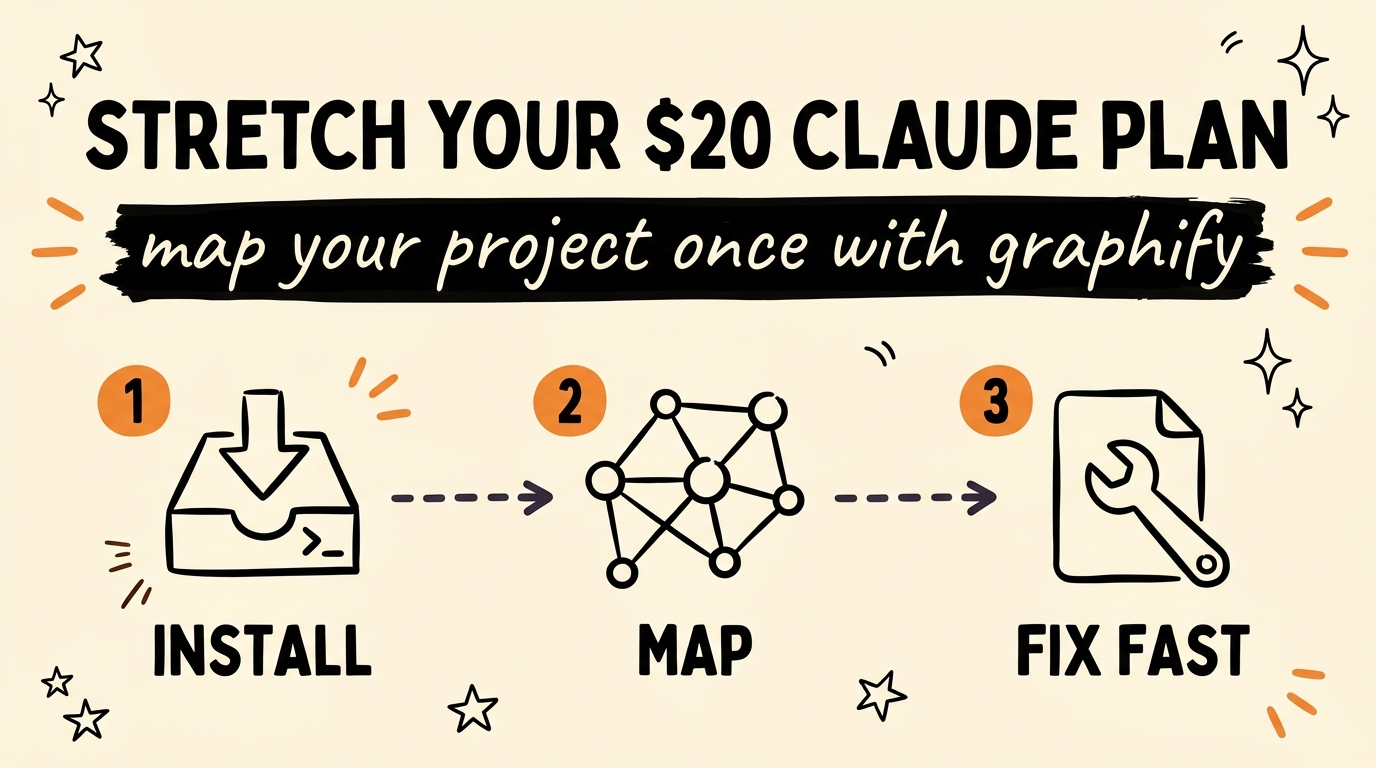
Your $20 Claude plan feels weak because Claude Code relearns your whole project from scratch every session. Graphify, a free tool, fixes that by building a map of your codebase once, so Claude jumps straight to the right files instead of burning usage figuring out where everything lives. Same plan, far more work per dollar.
Get the Free Guide
The full Graphify setup walkthrough: the exact install commands, the files it creates, the commands I run, and the fixes for when it breaks.
Get the free Graphify Setup Guide →
Why Does Claude Code Burn Through Your Usage So Fast?
Claude Code starts each session with no memory of your project, so it re-reads files and re-traces how they connect before it can help. That exploration is real token spend, and on the $20 Claude Pro plan it adds up quickly. You hit the slower fallback models sooner, or you wait for your usage window to reset.
The pattern looks like this on a normal working day:
- You open a session and ask for a small fix.
- Claude opens five or six files just to understand the structure.
- Half your prompt’s budget is gone before it writes a single line.
- Repeat that ten times and you have spent most of the day paying to re-explain the same codebase.
The waste is not the fix itself. It is the rediscovery tax you pay at the start of every session. If you have felt this before, my post on beating context rot in Claude Code covers the same problem from the memory-handoff angle.
What Is Graphify and How Does It Fix This?
Graphify is a free tool that turns your codebase into a queryable knowledge graph, so Claude reads the map once instead of re-exploring the files every time. It parses your project locally with tree-sitter, then writes a report and a graph file Claude can lean on for the rest of the session.
Here is the whole idea in three steps:
- Install Graphify and register it with Claude Code as a
/graphifyskill. - Run
/graphify .once inside your project. It scans the code and builds a full map of where everything lives. - Ask Claude to make a change. It reads the map, goes straight to the relevant files, and skips the guesswork.
In the video I asked Claude to fix my meta automation tool. Instead of opening half the project to orient itself, it jumped to the right files and fixed the bug in one pass. The difference is where the usage goes: into the actual work, not into re-reading.
How Do You Install and Run Graphify?
You install the package, register it with your assistant, then run it once inside any project. As of August 2026, the install takes about two minutes.
| Step | Command | What it does |
|---|---|---|
| Install | uv tool install graphifyy |
Installs the CLI in an isolated environment |
| Register | graphify install |
Adds the /graphify skill to Claude Code |
| Build | /graphify . |
Maps the current project folder |
| Query | /graphify query "what connects auth to the database?" |
Answers a question against the graph |
| Explain | /graphify explain "RateLimiter" |
Shows a node, its source line, and its connections |
Running it once creates a graphify-out/ folder with three files: graph.html (an interactive visualization you can open in a browser), GRAPH_REPORT.md (the highlights and connections), and graph.json (the full queryable graph). The code is parsed locally, so only documentation and media files touch an API call.
The tool handles 37+ languages plus docs, PDFs, and office files, so it maps more than just your source. If you like keeping your project tidy for the agent, it pairs well with a clean Claude Code folder setup.
FAQ
Is Graphify actually free?
Yes. Graphify is a free, open-source tool you install from the repo. Parsing your code runs locally, and only documentation or media extraction uses any API calls.
Does this replace upgrading to the $100 Max plan?
It stretches your existing plan further rather than raising your limit. By cutting the usage spent on re-exploration, a $20 Claude Pro plan gets closer to the working headroom people expect from Max, but heavy all-day users may still want the upgrade.
Do I have to rebuild the map every time?
No. You build it once, then run /graphify ./docs --update to re-extract only the files that changed. You can also run graphify hook install to auto-rebuild the graph on every git commit.
Does it work with tools other than Claude Code?
Yes. Graphify registers as a skill for Claude Code, Cursor, Codex, and Gemini CLI, so the same map works across those assistants.
What does Claude actually read from it?
Claude reads the report and the graph file, which describe where things live and how they connect. That lets it skip the file-by-file exploration and go straight to the parts that matter for your request.
The Bottom Line
A $20 plan is not weak, it is just spending too much on rediscovery. Graphify maps your project once so Claude Code stops paying that tax on every session, and your usage goes into real work instead. Install it, run /graphify ., and watch how fast the next fix lands.
Want to build systems like this into your whole workflow? Come Join the Vibe Coding Build → and learn to wire AI agents into the way you actually work.