
Garry Tan's Claude Code Setup: The 23-Tool G-Stack
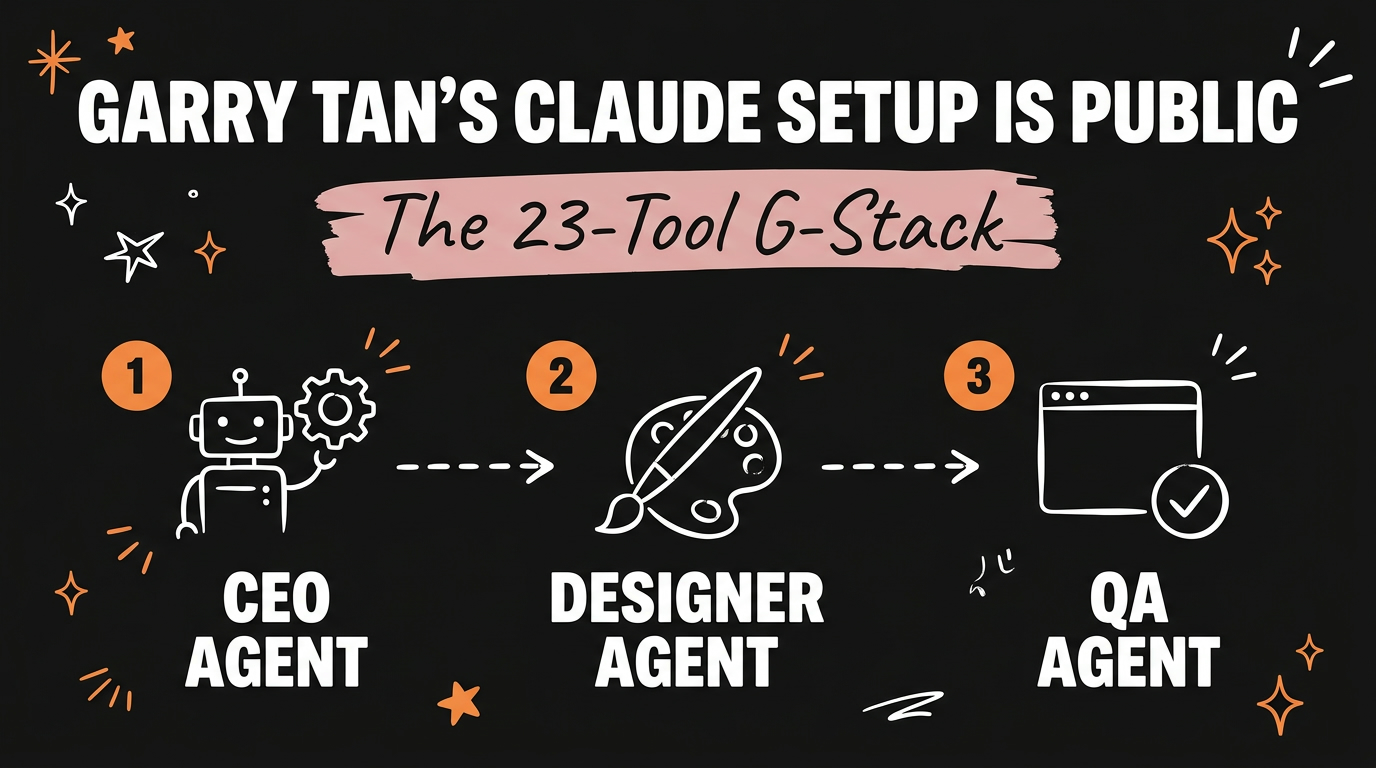
Garry Tan, CEO of Y Combinator, open sourced the exact Claude Code setup he uses to run his own projects. It’s called G-Stack: a collection of 23 tools that turn Claude Code from a single assistant into a full operations team, with agents dedicated to product strategy, design, engineering management, QA, and release. You install it with one command, and every prompt you write afterward gets planned and checked by that team instead of handled by Claude alone.
Get the Free Guide
Get the full playbook for setting up a G-Stack-style AI ops team in your own Claude Code projects.
Get the free G-Stack Playbook →
What Is Garry Tan’s G-Stack?
G-Stack is a public library of 23 Claude Code tools that Garry Tan uses daily to run Y Combinator’s internal tooling and side projects. Instead of prompting Claude Code through every step of a build manually, you install the stack once, and each new task automatically routes through the right specialist agent before any code ships.
The stack is built around the idea that a solo founder or small team should be able to operate like a full engineering org: someone questioning the product direction, someone catching bad design decisions, someone protecting the architecture, someone testing before release, and someone actually shipping it. G-Stack assigns each of those jobs to a dedicated Claude Code agent.
Which Agent Roles Are in G-Stack?
Five roles do most of the heavy lifting inside the 23-tool stack, and each one intercepts a different failure point in the normal “just prompt Claude and hope” workflow.
| Agent | What it catches |
|---|---|
| CEO agent | Weak or unclear product direction before work starts |
| Designer agent | AI-generated “slop” — generic UI, inconsistent spacing, off-brand visuals |
| Engineering manager agent | Architecture drift, so the codebase doesn’t fragment over time |
| QA agent | Bugs that only show up in a real, running browser |
| Release manager agent | Bad deploys, by owning the actual ship step |
The CEO agent runs first. Before Claude Code writes anything, it re-examines the request and pushes back if the product thinking is thin. The designer agent then reviews any UI output against a set of quality standards, flagging generic layouts or mismatched styling instead of letting them ship silently. The engineering manager agent holds the line on architecture, so a quick fix in month three doesn’t quietly undo a decision made in month one.
The QA agent is the one most teams skip when working solo: it opens an actual browser, clicks through the app the way a user would, and reports what breaks. That step alone catches a category of bugs that code review and linting never will. The release manager agent closes the loop by handling deployment, so shipping isn’t a separate manual task you have to remember to do carefully.
How Do You Install G-Stack?
You install the full 23-tool stack with a single command in your terminal, inside any Claude Code project. Because it’s structured as a set of Claude Code skills and subagents, installation doesn’t require you to write configuration files by hand or wire up each tool individually — the install step registers all 23 at once, and they become available the next time you start a session.
Once installed, the stack works passively. You don’t have to invoke each agent by name for every task. Claude Code routes your prompt through the relevant specialists automatically based on what you’re asking for, whether that’s a new feature, a design pass, or a release.
If you’re new to installing and organizing Claude Code tooling like this, our guide on setting up a Claude Code folder system covers the underlying structure that stacks like G-Stack build on top of.
Why Does a 23-Tool Stack Beat Prompting Claude Manually?
A single prompt to Claude Code, without a stack like this in place, only gets you as much scrutiny as you remember to ask for. Most people skip the design review, skip the architecture check, and skip real browser testing, because doing all of that manually every time is slow. G-Stack makes those checks the default instead of the exception.
That matters more as a project grows. A CEO agent that questions scope keeps you from building the wrong feature efficiently. A QA agent that opens a real browser catches the interaction bugs that only appear once actual UI is rendered, not just when code compiles. Running the same 23 tools that power Y Combinator’s own internal Claude Code setup gives a solo builder or small agency the same review layers a much larger engineering team would apply by default.
For readers already using Claude Code’s built-in commands day to day, it’s worth comparing what a full agent stack like G-Stack adds on top of the basics — our guide to Claude’s built-in slash commands is a good starting point if you haven’t set those up yet.
Can You Customize G-Stack for Your Own Workflow?
Yes. Because G-Stack is open source, every agent’s instructions are editable, so you can adjust what the designer agent flags, tighten or loosen what the engineering manager agent enforces, or add your own specialist agents alongside the 23 that ship by default. Teams running niche stacks (a specific framework, a specific brand system) typically start from the default install and then narrow each agent’s rules to match their own standards.
If you want a wider library to pull additional agents from, our roundup of 45+ free Claude skills for every business department is a useful place to source extras that pair well with a G-Stack-style setup.
FAQ
What is G-Stack?
G-Stack is Garry Tan’s open source Claude Code setup: 23 tools that add CEO, designer, engineering manager, QA, and release manager agents to a normal Claude Code workflow, installed with a single command.
Who created G-Stack?
Garry Tan, CEO of Y Combinator, built and open sourced G-Stack. It’s the exact system he uses daily to run his own Claude Code projects.
Do I need to know how to code to use G-Stack?
You need a working Claude Code setup, but you don’t need to build the agents yourself. G-Stack installs as a ready-made package, and the agents run automatically once installed.
How is G-Stack different from just prompting Claude Code normally?
Normal prompting only reviews what you remember to ask for. G-Stack routes every task through dedicated agents for product direction, design quality, architecture, real-browser QA, and release, so those checks happen by default instead of being optional.
Can I add my own agents to G-Stack?
Yes. G-Stack is open source, so every agent’s instructions can be edited, and you can add custom agents alongside the 23 included in the default install.
Garry Tan built G-Stack to run Y Combinator’s own tooling, and now it’s available for anyone running Claude Code to install the same way. Setting up a stack like this once means every future prompt gets the benefit of a CEO, designer, engineering manager, QA tester, and release manager checking the work, instead of relying on you to catch everything yourself. Ready to build a system like this for your own AI-powered business? Join the Vibe Coding Build →