
Free Claude Skill Packs for Every Department
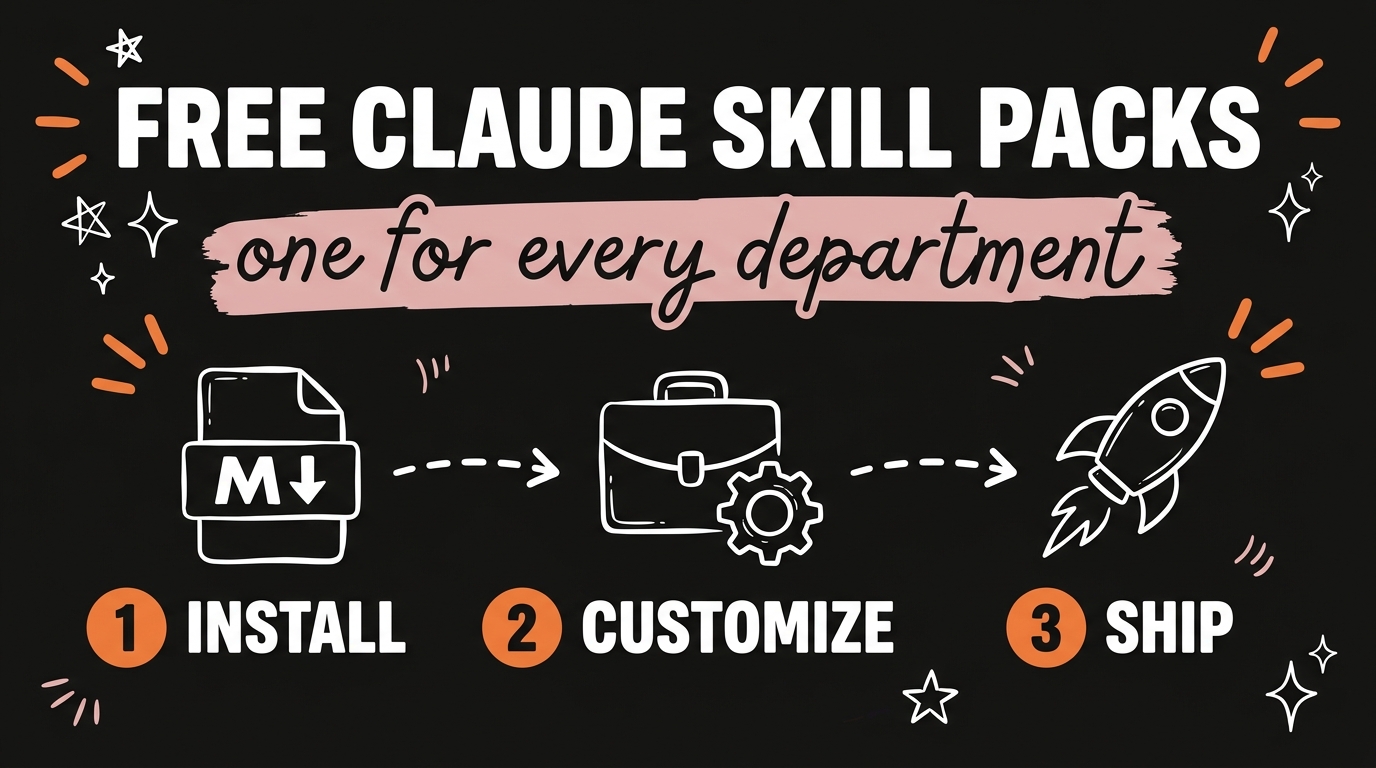
A Claude skill pack is a folder of markdown files that hands Claude specialized instructions for one job, and as of September 2026 there are free packs covering marketing, social media, design, finance and legal work. Installing five of them takes about ten minutes and costs nothing, which is the closest a solo operator gets to putting a specialist in every department. The catch is that a freshly downloaded pack runs on generic defaults until you feed it your own offer, audience and numbers.
If you are running a business by yourself, this is the part of Claude Code most people skip. They install the tool, prompt it like a chatbot, and never load the knowledge that makes it behave like a marketer or a controller.
Get the Free Guide
Every download link for the five packs, the exact install commands, and the customization prompt I run on each one after it lands.
Get the free Claude Skill Packs Setup Guide →
What Is a Claude Skill Pack?
A skill pack is a repository of individual skills, and each skill is a SKILL.md markdown file that tells Claude how to do one specific task. Anthropic’s Agent Skills format is plain text, so there is no build step and nothing to compile. You drop the folder in the right place and the agent reads it when the task matches.
The practical difference is scope. A prompt gives Claude an instruction for one message. A skill gives it a procedure it reuses every time, including the checklist, the output format, and the things to avoid. That is why a skill-loaded agent produces a usable ad brief and a bare agent produces a paragraph about advertising.
Skills also travel. The marketing pack works in Claude Code, OpenAI Codex, Cursor and Windsurf, because they all read the same Agent Skills specification. Install once, use it wherever you work.
Which Free Claude Skill Packs Cover Which Department?
Five free packs cover the functions a small business actually needs, and all of them are MIT licensed or Anthropic maintained. Here is what each one holds.
| Department | Pack | Skills | What it handles |
|---|---|---|---|
| Marketing | coreyhaines31/marketingskills | 45, now listing 60+ | Ad creative, copywriting, SEO audits, pricing, launches, retention |
| Social media | charlie947/social-media-skills | 17 | Reels scripts, LinkedIn posts, hook generation, content matrix, analytics |
| Design | nextlevelbuilder/ui-ux-pro-max-skill | 2 | Design systems, 192 colour palettes, 74 font pairings, 79 UI styles |
| Finance | knowledge-work-plugins/finance | 8 | Financial statements, reconciliation, variance analysis, month-end close |
| Legal | knowledge-work-plugins/legal | 9 | Contract review, NDA triage, GDPR and CCPA compliance, risk assessment |
The marketing pack is the deepest of the five. It covers conversion work (cro, signup, onboarding, paywalls), search (seo-audit, ai-seo, programmatic-seo, schema), and strategy (pricing, offers, launch, marketing-plan). Corey Haines has kept adding to it, so the count in the video has already gone up.
The social pack has one dependency worth knowing about. Almost every skill in it reads the output of voice-builder, which produces an about-me.md and a voice.md file. Run that first or the rest of the pack writes in nobody’s voice. If LinkedIn is your main channel, the free LinkedIn OS skill set for Claude is a tighter alternative.
How Do You Install a Claude Skill Pack?
Four of the five install with a single command, and the fastest route depends on who packaged the repo.
- Marketing, with the skills CLI. Run
npx skills add coreyhaines31/marketingskills. It writes to.claude/skills/for Claude Code, or.agents/skills/for a universal agent setup. - Marketing, as a plugin instead. Run
/plugin marketplace add coreyhaines31/marketingskillsthen/plugin install marketing-skillsinside Claude Code. - Social media. Clone it and copy the folders:
git clone https://github.com/charlie947/social-media-skills.git, thenmkdir -p .agents/skillsandcp -R social-media-skills/skills/* .agents/skills/. Claude Code users can use the marketplace commands instead. - Design. Install the CLI with
npm install -g ui-ux-pro-max-cli, then runuipro init --ai claudein your project, oruipro init --ai claude --globalto put it in~/.claude/skills/. It needs Python 3 for the search scripts. - Finance and legal. Both live in the same Anthropic marketplace:
claude plugin marketplace add anthropics/knowledge-work-plugins, thenclaude plugin install finance@knowledge-work-pluginsandclaude plugin install legal@knowledge-work-plugins.
One rule catches people on manual installs: the folder name has to match the name: field inside that skill’s SKILL.md. If they disagree, the skill sits there and never fires. Open a new terminal after installing so the agent picks up the new folders.
For a wider view of what a single-operator stack looks like once these are in, see running a full business solo with Claude Code.
Why Do Most People Get Generic Output From Free Skills?
Because a skill pack ships with the author’s assumptions, not yours. The pricing skill does not know your margins. The contract-review skill has no idea what terms you refuse to sign. So it falls back to the average case, and average is what you get back.
Two files fix most of it:
- A business context file. Your offer, your price points, your audience, your competitors, the words you refuse to use. Point the skills at it.
- A playbook file. The legal plugin reads a
legal.local.mdyou write yourself, holding your standard contract positions, risk tolerance and NDA defaults. That one file turns a generic reviewer into your reviewer.
After installing a pack, I open the SKILL.md for the two or three skills I will actually use and ask Claude to rewrite the examples using my business. It takes a few minutes per skill and it is the difference between a department and a demo. The same principle applies to the brand clarity prompt that stops generic AI writing.
FAQ
Are Claude skill packs really free?
Yes. The marketing, social media and design packs are MIT licensed on GitHub, and the finance and legal plugins are published by Anthropic in the knowledge-work-plugins marketplace. You pay only for your normal Claude usage.
Do Claude skills work outside Claude Code?
The marketing pack states support for Claude Code, OpenAI Codex, Cursor, Windsurf and any agent that reads the Agent Skills specification. For Codex, the skill folders live in the project at .agents/skills/<name>/SKILL.md.
How many skills should I install at once?
Start with one department. Loading five packs at once gives you over 80 skills, and you will not remember what any of them do. Install the pack for the job you are doing this week, customize it, then add the next.
Where do skill folders go for Claude Code?
Globally in ~/.claude/skills/<name>/, or per project in .claude/skills/<name>/. The folder name must match the name: value in that skill’s SKILL.md.
What is the difference between a skill and a plugin?
A skill is one markdown file with instructions for one task. A plugin is a packaged bundle, usually several skills plus configuration, installed through a marketplace command. The finance and legal packs are distributed as plugins.
Put One Department on Autopilot This Week
Five free skill packs, roughly ten minutes of installs, and the same agent starts writing like a marketer, a social editor, a designer, an accountant and a contracts reviewer. The install is the easy part. The customization is what makes the output yours, and it is the step almost everyone skips.
Pick the department that is costing you the most time right now, install that pack, and write it a context file before you ask it for anything. Then come do the rest with us. Join the Vibe Coding Build →