
Claude Opus 5.5: Stop It From Burning Your Usage Limit
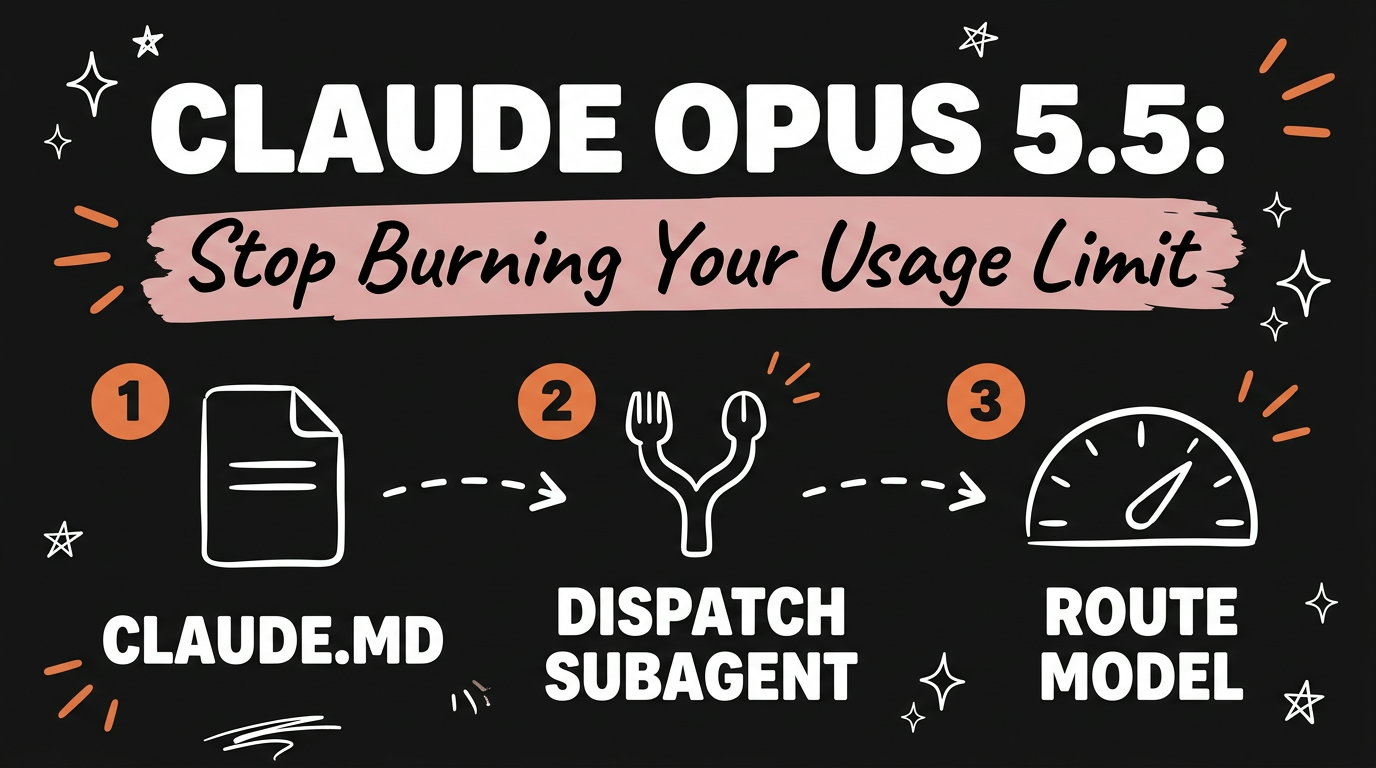
Claude Opus 5.5 solves the usage limit problem that comes with running AI agents all day, but only if you set it up with a claude.md file first. Add two rules to that file, dispatch subagents instead of doing work directly, and default to lighter models for lighter tasks, and Claude stops burning your heaviest model on jobs that never needed it. Skip the file and Opus 5.5 behaves the same way Opus 5 did: maxing out your cap the day after it resets.
Get the Free Guide
The exact claude.md config, word for word, plus the setup steps and the commands to test it.
Get the free Claude Opus 5.5 Config Guide →
What Problem Does Claude Opus 5.5 Actually Fix?
Claude Opus 5.5 fixes the usage limit problem that hits anyone running AI agents for their business: you burn through your cap and then sit locked out until the next reset. Anthropic’s own guidance for the model confirms why this happens by default. Claude Opus 5.5 defaults to medium effort, while Claude Opus 5 defaulted to high, and Anthropic’s testing found Opus 5.5 at medium matches or beats Opus 5 at high on coding and knowledge work, often in fewer steps and fewer tokens. The model is also more than 30 percent faster at generating output tokens than Opus 5. None of that helps you if your setup never tells Claude which tasks are light enough to route to a cheaper model or a subagent in the first place.
How Do You Set Up the claude.md Config?
You set up the config by creating a claude.md file in your project root and writing two rules into it. The first rule tells Claude never to do the work itself: always dispatch a subagent. The second tells it not to always reach for the heaviest model: use Opus 5.5 for lighter tasks. Together, these two lines change how Claude allocates its own usage before a task even starts.
1
2
3
4
# claude.md

- Never do the work yourself. Always dispatch a subagent.
- Don't always use the heavy model. Use Opus 5.5 for lighter tasks.
That’s the config in full, per the source video. It works because Claude reads each incoming job against those rules before committing resources: a subagent handles the bulk of the work and the model tier gets matched to the task instead of defaulting to the most expensive option every time.
Why Does Model Routing Save So Much Usage?
Model routing saves usage because most of what an AI agent does in a day doesn’t need the top-tier model at all. Anthropic’s prompting guide for Opus 5.5 recommends starting at medium effort and testing down from there, noting that on several coding evaluations even low effort comes close to Opus 5 at high, at a much lower cost. Effort level names don’t carry over 1:1 between model versions, which is exactly why testing your own setup against your own tasks matters more than copying whatever effort setting worked before.
| Setup | Default behavior | Result |
|---|---|---|
| No claude.md rules | Claude does the work directly, defaults to the heaviest model | Usage cap hit within a day |
| claude.md with 2 rules | Subagent dispatched, model matched to task size | Usage stretched across the week |
What Changes When You Run Subagents Unattended?
Running subagents unattended changes how much oversight the setup needs, and Anthropic’s own guidance for multiagent harnesses backs this up directly. Claude Opus 5.5 pays close attention to elapsed time, so a lead agent delegating to subagents can be given a time budget, a line appended to each message stating something like elapsed 340s / 1200s, and it will pace the work to land inside that budget. Anthropic’s evaluations found small agent teams given a time budget finished considerably sooner than a single agent working without one, while holding answer quality steady. For a solo operator or small agency running Claude Code across client accounts, that’s the difference between one agent slowly working through a queue and several subagents clearing it in parallel, without you having to babysit each one.
FAQ
Do I need Claude Opus 5.5 specifically for this to work?
Yes. The behavior described here, defaulting to medium effort and routing lighter tasks to a smaller model, is specific to Opus 5.5’s defaults. Claude Opus 5 defaults to high effort and doesn’t have the same built-in headroom.
Where do I put the claude.md file?
In the root of the project you’re running Claude Code against. Claude Code reads it automatically at the start of a session, so the two rules apply before any work starts.
Will this slow Claude down?
No. Dispatching subagents and routing to lighter models is about matching effort to the task, not adding steps. Anthropic’s testing showed Opus 5.5 at medium effort finishing coding tasks in fewer steps and fewer tokens than Opus 5 needed at high.
Does this replace effort settings in the API?
No, it complements them. The claude.md rules control Claude Code’s own routing decisions inside a session. Effort level (low, medium, high, xhigh, max) is a separate, model-level setting for anyone building directly on the API.
What if my tasks are all heavy, complex coding work?
Then fewer of them qualify as “lighter tasks,” and the second rule routes less often, which is correct. The rules only save usage on the share of work that was overpowered by the heaviest model to begin with.
Getting the config right the first time is the difference between Claude Opus 5.5 solving your usage limit problem and just being a faster version of the same problem. If you want the exact file to copy along with a walkthrough of setting it up in Claude Code, grab the free guide.
For more on cutting your Claude Code usage down without losing output quality, see 4 Claude Code Plugins That Cut Token Usage in Half and Claude Fable 5.1: The AI Model That Gets Cheaper at Scale. If you’re new to running subagents at all, ECC: The Claude Code Repo With 256K GitHub Stars is a free way to install a working set of agents and skills in one command.
Setting up one config file is a small habit compared to what it protects: the usage budget your entire AI agent system runs on. Join the Vibe Coding Build → for more setups like this one.