
Build an App Prototype in One Weekend (No Coding)
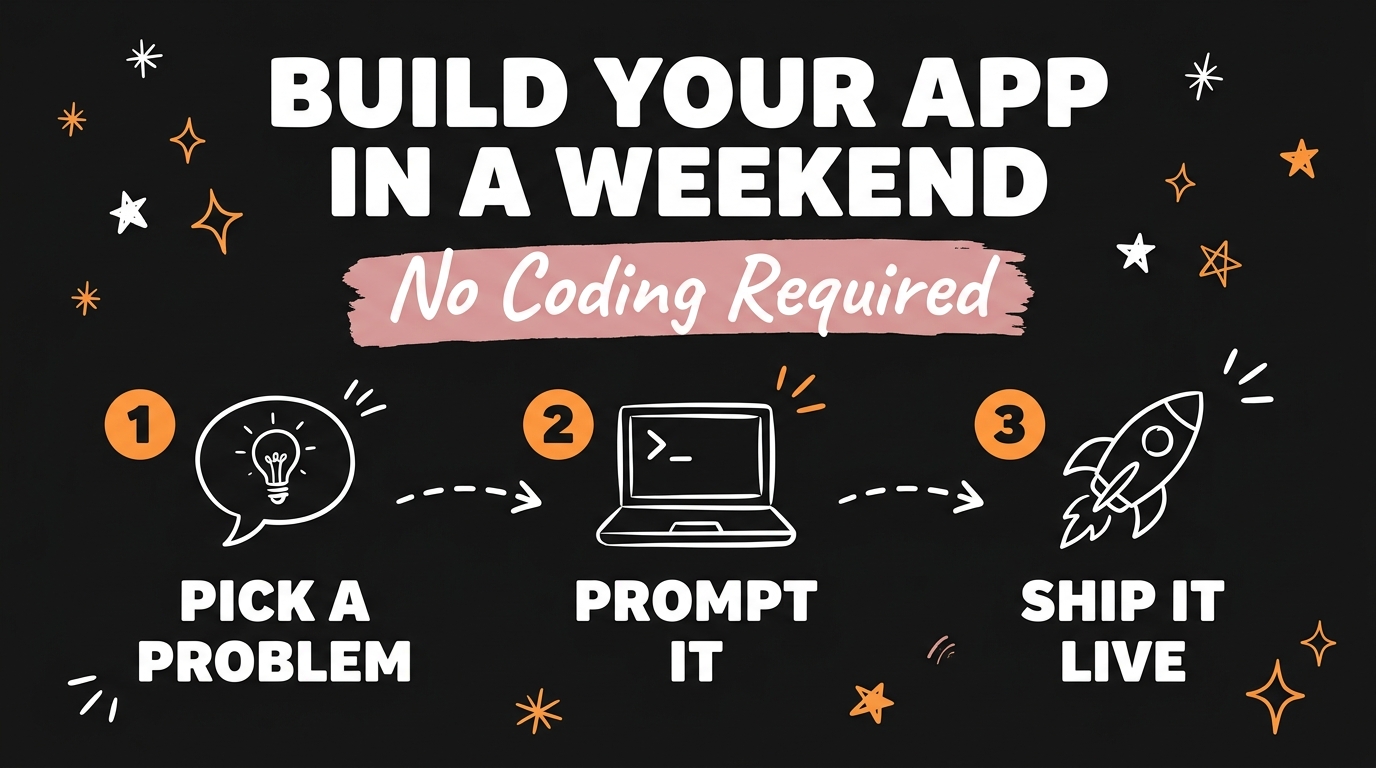
You can build a working app prototype in a single weekend with Claude Code and zero coding skills — describe the problem you want to solve, paste a prompt, and a functioning tool is live before Monday. That barrier that used to require a developer, a budget, and months of planning is gone as of July 2026.
Most entrepreneurs never act on their best ideas because “building an app” sounds like a six-month project. It isn’t anymore. Claude Code, Anthropic’s AI coding agent, turns a plain-English description of a problem into working software. This post breaks down exactly how solopreneurs are shipping niche tools in a weekend and charging real subscribers for them.
Get the Free Guide
Grab the full weekend playbook: how to pick a problem worth solving, the exact prompts that build it, and how to price and launch before Monday.
Get the free Weekend App Playbook →
What Do You Actually Need to Build an App Prototype in a Weekend?
You need three things: a real problem worth solving, a working prompt, and Claude Code. That’s the entire stack. No design team, no backend engineer, no funding round. Claude Code reads a plain description of what you want — “build me a tool that tracks watering schedules for rare houseplants” — and writes, tests, and runs the actual application code behind it.
This matters because the old blocker for solopreneurs was never the idea. It was execution. Most people have a notebook full of “someone should build this” thoughts that die there because turning an idea into software meant hiring, learning to code, or waiting months. Claude Code collapses that timeline to a weekend.
How Does Claude Code Turn a Prompt Into a Working App?
Claude Code works by taking your description of the problem and building the application in real, running code — not a mockup or a slide deck. You describe the core function (track something, calculate something, remind someone of something), and it scaffolds the interface, the logic, and the data storage needed to make it work.
The practical flow looks like this:
- Describe the problem in plain language. “A recipe app that swaps ingredients based on what’s in my fridge.”
- Claude Code builds the working prototype. It writes the functional app — not a wireframe — including how users input data and what they get back.
- You test it yourself over the weekend. Since it’s a real running tool, you can use it immediately and fix what feels off.
- You ship it before Monday. No approval chain, no dev sprint — the prototype becomes the live product.
What Kind of App Ideas Actually Make Money as a Solopreneur?
The apps making real money right now are narrow, specific, and solve one annoying problem well — not broad platforms trying to compete with incumbents. Solopreneurs are already charging $10 to $20 a month per user for tools this simple:
| App Idea | Problem It Solves | Typical Price |
|---|---|---|
| Rare houseplant care assistant | Tracks watering, light, and feeding schedules for finicky plants | $10–15/month |
| Recipe ingredient swapper | Suggests substitutions based on what’s already in your kitchen | $10–20/month |
| Home maintenance scheduler | Reminds homeowners when to service HVAC, gutters, filters, etc. | $12–20/month |
None of these need to serve millions of users to be worth building. A tool with 100 subscribers at $15/month is a $1,500/month product built in a weekend — and that’s before you consider a second or third app running the same playbook.
What Does a Weekend Build Timeline Actually Look Like?
A realistic weekend build breaks into three phases: pick the problem on Friday, build and test on Saturday, and polish and launch on Sunday. Here’s how that plays out:
- Friday evening: Pick one specific, real problem you or someone you know actually has. Write the prompt describing exactly what the tool should do.
- Saturday: Hand the prompt to Claude Code, get the working prototype, and use it yourself. Note what’s clunky and refine the prompt.
- Sunday: Add pricing, a simple signup flow, and ship it live. For the exact prompt structure and pricing setup, the free Weekend App Playbook walks through all three phases step by step.
If you want to see how a similar build goes from idea to a live, monetized product, Build an App With Claude Code walks through a full no-developer build, and How Simple Niche Apps Make $40K to $61K a Month shows what these tools look like once they scale past the first weekend.
FAQ
Do I need any coding experience to build an app with Claude Code?
No. Claude Code is designed to take a plain-English description of the problem you want solved and build the working application from that description — no programming background required.
How much does it cost to build an app prototype this way?
The build itself costs your time and a Claude Code subscription. There’s no separate developer fee, no agency retainer, and no minimum viable product budget — the “cost” is the weekend you spend on it.
What kind of app idea should I start with?
Start with a real, specific, and slightly boring problem — something like scheduling, tracking, or swapping information — rather than a broad platform idea. Specific problems are easier to build in a weekend and easier to charge for.
Can I really charge users for something built this fast?
Yes. Solopreneurs are already charging $10 to $20 a month per user for tools built exactly this way, because the value is in solving the problem, not in how long the build took.
What happens after the first weekend build?
Most solopreneurs use the same prompt-and-build process to launch a second or third niche tool, since the playbook — pick a problem, prompt it, ship it — repeats for any new idea.
Ready to turn your next idea into a working system instead of another notebook entry? Join the Vibe Coding Build → for the full systems, prompts, and skills behind these weekend builds.