
One AI Design System File for Claude and ChatGPT
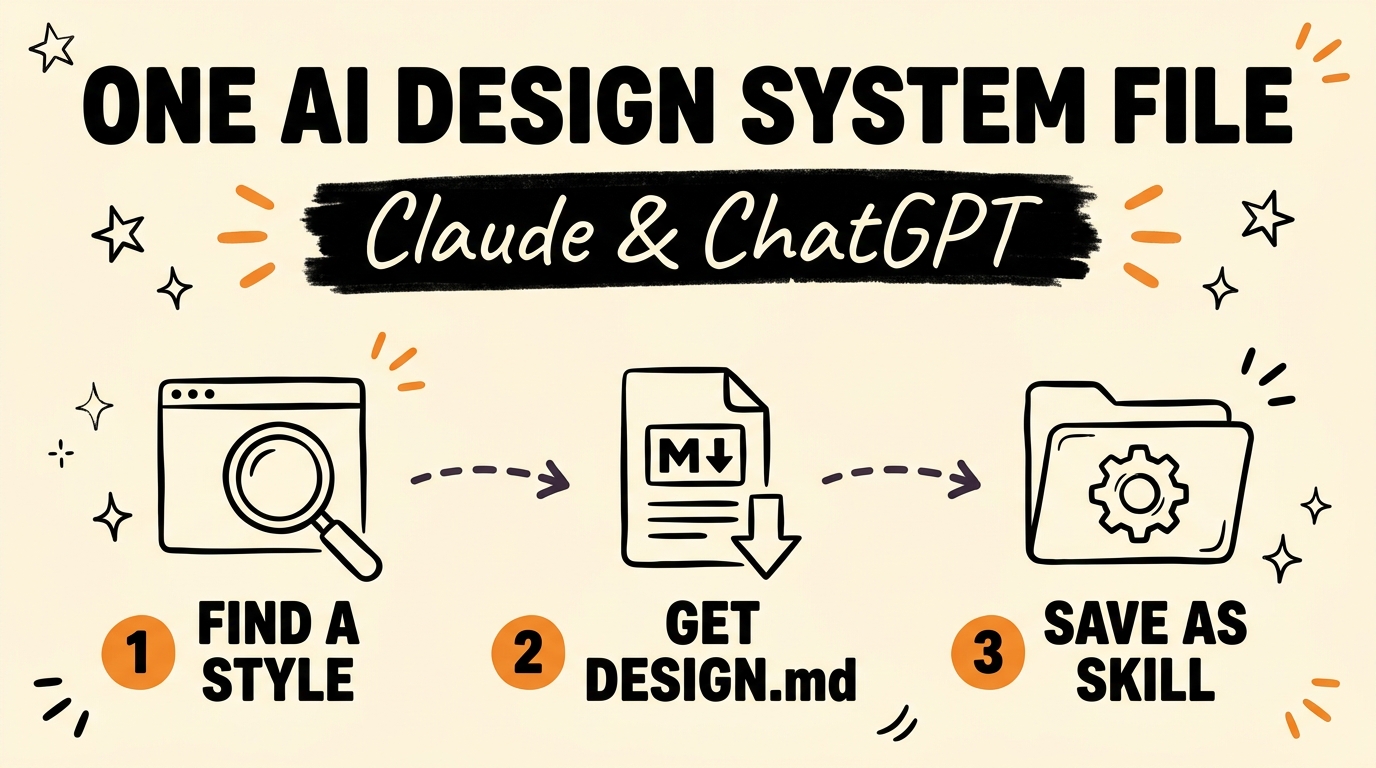
There is one file you can drop into Claude or ChatGPT that makes every website you build look like a premium brand instead of a default template. It is a design system file, usually named DESIGN.md, that holds the typography, spacing, color palette, and component rules of a site you admire. Save it as a reusable skill and your AI already knows the design language before you type a single prompt.
Get the Free Guide
The free guide walks through the exact DESIGN.md setup, where the skill folder lives, and the prompts I run so a client build looks considered instead of generic.
Get the free AI Design System File Playbook →
Why Do AI-Built Websites Look Generic?
Most AI-built websites look the same because the AI has no design context. When you ask Claude or ChatGPT to “make it look premium”, the model has nothing concrete to follow, so it reaches for the safest default: centered hero, gray text, a stock sans-serif, even spacing everywhere. The output is fine and forgettable.
A design system file fixes the root cause. Instead of a vague adjective, you hand the AI explicit rules: the exact heading scale, the body font, the spacing rhythm, the accent color, the button style. The build looks intentional because the input was intentional.
Refero.design is a UI and UX inspiration library full of real product screens. You find a site whose look matches the direction you want, then pull its design system into a single markdown file your AI can read on every project.
How Do You Turn a Site Into a Design System File?
The whole process is four steps and takes about ten minutes the first time.
- Go to refero.design and find a website style you actually like. Pick one close to your brand so you are not fighting the aesthetic later.
- Get the DESIGN.md file for that design system. This one file captures the colors, typography, spacing, components, and overall design language.
- Upload it as a reusable skill inside Claude or ChatGPT. In Claude Code that means a small skill folder; in ChatGPT you load it into a Codex project.
- Activate the skill whenever you build. Your AI now knows your typography, spacing, and colors before you describe a single screen.
That last step is the whole point. The design context loads once and rides along on every prompt, so you stop re-explaining your brand on each new page.
What Goes Inside a DESIGN.md File?
A design system file is a plain-text description of the visual decisions a site has already made. The more specific it is, the closer your AI output lands. A useful DESIGN.md covers these areas:
| Section | What it defines |
|---|---|
| Colors | Background, text, primary accent, borders, with hex values |
| Typography | Heading font, body font, weights, and the size scale |
| Spacing | The base unit and the rhythm between sections |
| Components | Buttons, cards, inputs, navigation styling |
| Design language | The overall feel: minimal, editorial, playful, dense |
Because it is markdown, you can edit it by hand. Swap the accent color to your brand color, change the heading font to yours, and the whole system bends to match while keeping the structure that made it look good.
How Do You Load It as a Skill in Claude?
In Claude Code, a skill is a folder in ~/.claude/skills/. You drop the DESIGN.md inside a folder along with a short SKILL.md that tells Claude when to use it. The folder name has to match the name: field in SKILL.md, or Claude will not pick it up. Once it is in place, you activate it and Claude reads the design rules on every build in that session.
If you would rather stay in the browser, ChatGPT’s Codex works the same way: load the design file into your project so it is available across chats. Pair it with a strong model so the output holds together. The combination gives you sites that look considered and intentional, not like a template someone spun up in five minutes.
For a deeper build workflow, these pair well:
- Clone any website’s design with Claude and the Ditto MCP
- Build an AI app design and conversion system
- Fix generic AI writing with a brand clarity prompt
FAQ
What is a DESIGN.md file?
A DESIGN.md file is a single markdown document that describes a website’s design system: its colors, typography, spacing, components, and overall visual language. You feed it to an AI so every build follows the same rules.
Does this work in both Claude and ChatGPT?
Yes. In Claude Code you save it as a skill folder under ~/.claude/skills/. In ChatGPT you load it into a Codex project. The design file is plain markdown, so the same file works in either tool.
Where do I get the design system file?
Refero.design is an inspiration library where you find a site style you like and pull its DESIGN.md. You can also write your own by describing the fonts, colors, and spacing of a design you already own.
Can I use my own brand colors?
Yes. The file is editable markdown. Change the hex values, swap the fonts, and adjust the spacing, and the AI follows your version while keeping the structure that made the reference look polished.
Do I have to rebuild the file for every project?
No. Save it once as a skill and activate it whenever you build. That is the advantage over pasting design notes into each new chat.
Bring Your Own Design Language to Every Build
One design system file turns your AI from a generic template generator into a builder that already knows your brand. Find a look you love on Refero, capture it as a DESIGN.md, save it as a skill, and activate it on every project. The quality difference shows up immediately, and it compounds across every client site you ship.
Want the full setup with the folder structure and the exact prompts? Join the Vibe Coding Build →