
Why Creators Waste Money on AI Video (Fix This First)
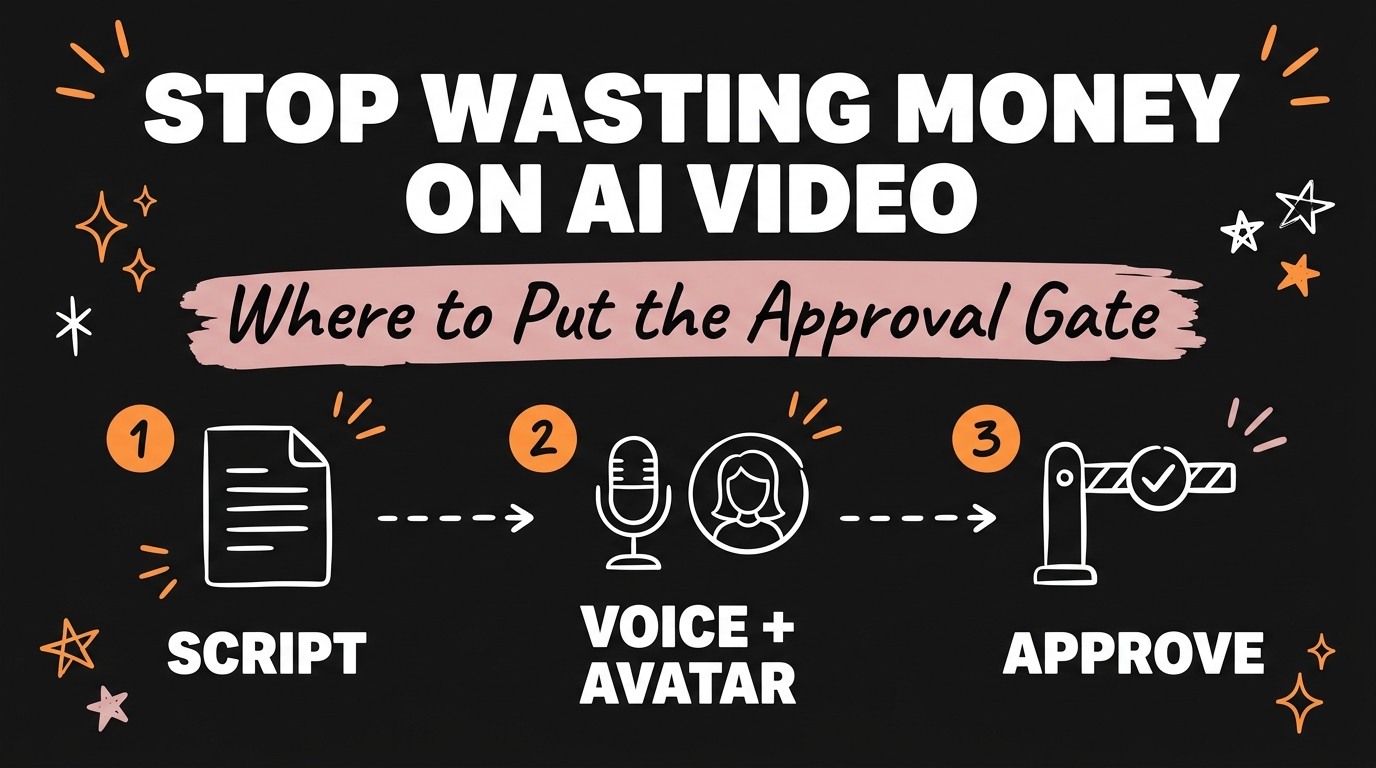
Creators waste money on AI video because they treat every stage of a job as if it costs the same, when one stage is roughly sixty times more expensive than the other. A script and ten platform captions cost under a cent to generate. The voiceover and avatar for that same reel cost about fifty cents. Put a checkpoint between those two stages and the wasted spend stops.
Get the Free Guide
A step-by-step playbook for finding your own cheap-to-expensive line and building a hard stop there.
Get the free AI Video Approval Gate Playbook →
Why Do AI Video Costs Add Up So Fast?
AI video costs add up fast because one job is really two very different jobs stitched together, and only one of them is expensive. Break a single short-form video down into its stages and the price gap becomes obvious:
| Stage | What it produces | Rough cost |
|---|---|---|
| Script + 10 platform captions | The words, checked per platform | Under $0.01 |
| Voice + avatar | The spoken take and the face on screen | ~$0.50 |
| Code-drawn B-roll | Every frame drawn by an agent | $0.00 |
The words are nearly free. The voice and avatar are around sixty times more expensive, and on most platforms they draw from a fixed monthly credit pool that does not refill until the first of the month. Generate a voice-and-avatar take from a script you have not actually read, and that spend is gone whether the take was good or not.
Where Should the Approval Gate Actually Go?
The approval gate belongs at the exact point where cost jumps, which for most AI video pipelines is the seam between writing and rendering. Everything before that seam — script, captions, outline, hook — should run automatically and for close to nothing. Everything after it — voice generation, avatar rendering, video assembly — should wait for a yes.
That single rule does most of the work: cheap stuff runs free, a human reads it, and only then does anything expensive start. No approval, no spend.
What Happens When You Skip the Gate?
Skip the gate and the mistake shows up exactly when you are least able to catch it. Most people intend to review the script before generating. Then it is eleven at night, the draft looks roughly fine on a quick skim, and the expensive step runs anyway.
That is not a discipline problem, it is a system design problem. Willpower fails predictably at the moment you are tired enough to make an expensive mistake. The fix is to put the gate in the tool, not in yourself, so the expensive step is simply unreachable until the cheap step has been approved — not a warning you can click past, an actual blocked path.
How Do You Build the Gate Into Your Workflow?
You build the gate by making the expensive step structurally dependent on an explicit approval of the cheap step, not by adding a reminder. In practice that looks like four steps:
- List every stage in the job and tag each one cheap or expensive based on real cost, not guesswork.
- Find the seam — the exact point where the price jumps by 10x or more.
- Block the expensive stage so it cannot run without an approval flag from the cheap stage, whether that is a manual click, a script check, or an automation condition.
- Add a spend cap on top as a backstop, so even an approved run cannot exceed a set budget for the day or the week.
Once that is wired in, it protects every job that runs through the pipeline, not just the one you were paying attention to. For the full build of one working version of this — including the script prompt that produces the cheap stage — see the AI approval gate breakdown.
What If You’re Not Using Automation Software?
You do not need a coded pipeline to use this rule. If you are pasting prompts into a chat tool by hand, the gate is just a personal checklist: write the script and captions, save them somewhere you will actually reread, and only then open the voice or avatar tool. The discipline problem does not disappear, but naming the seam out loud — “this is where I stop and check” — catches more bad spend than no rule at all.
Picking a source worth turning into a script matters just as much as the gate itself. A script built from a source that already performed well needs far fewer expensive retakes; see the outlier score for how to find one before you write anything. And if the visuals in your pipeline come from an image model rather than an avatar, the same cheap-then-expensive shape applies — see pay-as-you-go AI image tools for keeping that stage under control too.
FAQ
Why does AI video cost so much more than the script?
Because voice cloning and avatar rendering are computationally heavier than text generation, so platforms price them far higher — commonly 50 to 100 times the cost of the script and captions for the same short.
What is an approval gate in an AI video workflow?
It is a hard stop between the cheap stage (script, captions) and the expensive stage (voice, avatar, rendering) that blocks the expensive stage from running until a human has approved the cheap output.
Can I add an approval gate without writing any code?
Yes. A manual checklist works: finish the script and captions, save and reread them, and only then open the voice or avatar tool. The gate is a rule about order, not a piece of software.
How much can an approval gate actually save?
It depends on how often bad generations were slipping through before. If even one in ten expensive renders was being wasted on an unreviewed script, a gate removes that entire slice of spend going forward.
Does this apply to tools other than avatar and voice generators?
Yes. Any AI workflow with a cheap drafting stage and a far more expensive rendering or generation stage benefits from the same checkpoint — image generation, video generation, and long-form voiceover all fit the same pattern.
One Gate, Every Job
Every AI video job has a cheap half and an expensive half, and they are never close in price. Find the seam between them, block the expensive side until the cheap side is approved, and that one checkpoint protects every job that runs through your pipeline afterward — not just the one you happened to be paying attention to.
Want the full playbook plus the rest of the automation skills library? Join the Vibe Coding Build →