
Stop Paying $79/Mo for AI Image Tools — Do This
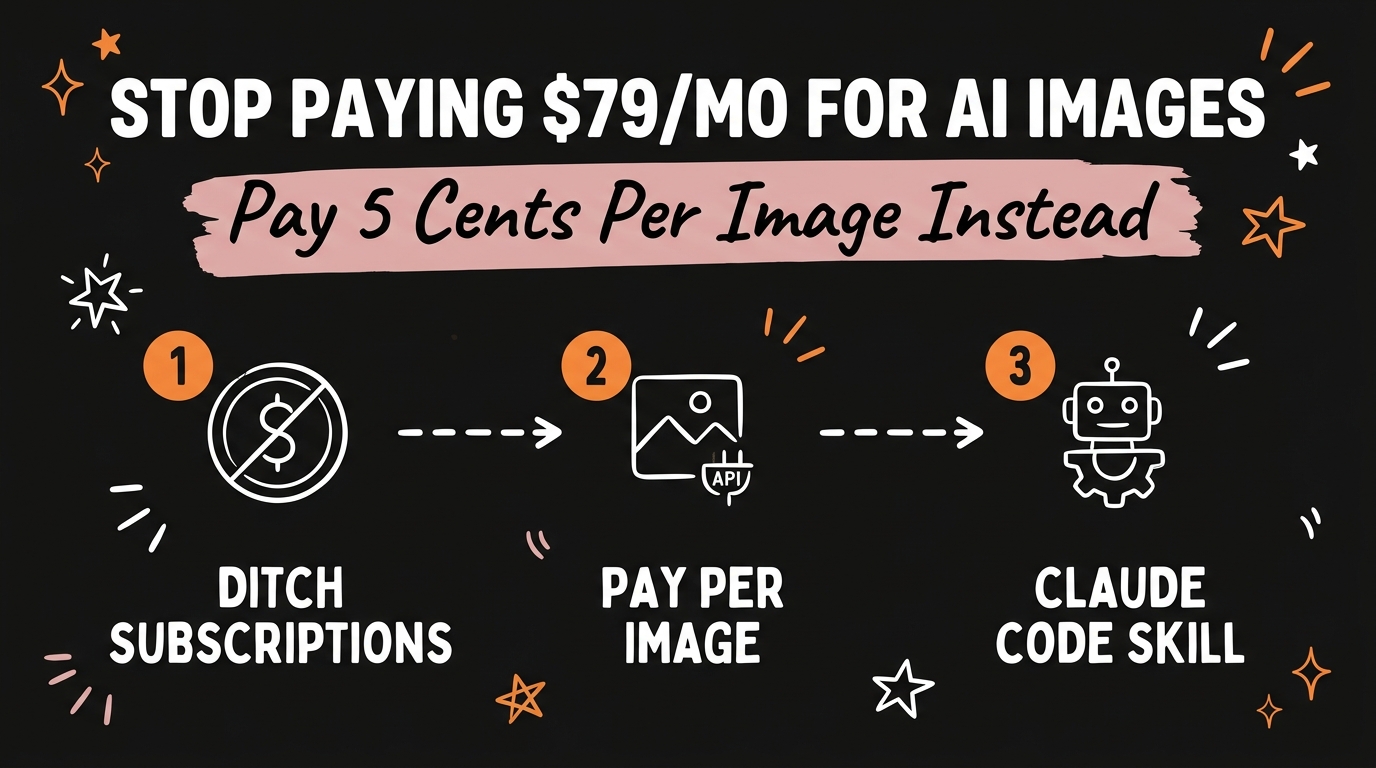
Tools like Higgsfield charge you a flat monthly fee to sit on top of AI models you can access directly. Pay-as-you-go aggregators like Fal, Wavespeed, and Kie give you the same underlying models for about 5 cents per image instead of the 30-plus cents per image you’re effectively paying on a $79/month subscription plan you barely use.
Get the Free Guide
Get the exact pay-as-you-go setup: which aggregators to use, the Claude skill that runs them, and how to price your own AI image and video output.
Get the free Pay-As-You-Go AI Playbook →
Most creators never do the per-image math on their AI subscriptions. They see one flat number — $79 a month — and assume it’s a good deal because it’s “unlimited” or “generous.” It isn’t. Once you break it down to cost-per-generation, pay-as-you-go AI image tools almost always win, and you get more control over the underlying model to boot.
What Is a Pay-As-You-Go AI Image Aggregator?
A pay-as-you-go aggregator is a platform that gives you direct API access to dozens or hundreds of AI image and video models — without a monthly subscription wrapped around them. Fal, Wavespeed, and Kie are three of the most popular examples as of August 2026. Instead of paying a flat fee to a single branded app like Higgsfield, you pay only for the generations you actually run, typically billed per image or per second of video.
The key insight: apps like Higgsfield are largely front-end wrappers. They call the same base models — think Flux, Nano Banana, or Kling — that Fal, Wavespeed, and Kie expose directly. You’re paying a markup for the interface, not for better output.
How Much Do You Actually Save?
The math is the whole argument. Here’s a rough comparison based on typical creator usage:
| Subscription App (e.g. Higgsfield) | Pay-As-You-Go Aggregator (Fal / Wavespeed / Kie) | |
|---|---|---|
| Monthly cost | $79/month flat | $0 monthly fee |
| Cost per image | ~34 cents (based on typical included-credit usage) | ~5 cents |
| Idle-month cost | Still $79 | $0 |
| Model access | Locked to app’s chosen models | Hundreds of models, your choice |
| File ownership | Often stored in-app | Saves locally, you own every file |
If you generate 100 images in a light month, that’s $5 on a pay-as-you-go aggregator versus $79 on a subscription you’re locked into whether you use it or not. The gap only grows if you skip a month entirely — the subscription still bills you, the aggregator doesn’t charge a cent.
How Do You Set This Up With Claude Code?
You don’t need to manually juggle three different aggregator dashboards. A single Claude Code skill — built around a simple /generate command — can prompt Claude to:
- Generate image ads directly through Fal, Wavespeed, or Kie
- Animate those images into short video ads
- Spin up a full landing page or website in the same session
Every file it produces saves locally to your machine. There’s no vendor lock-in, no shady terms buried in a subscription agreement, and no wasted spend on tools you forgot to cancel. This is the same pattern behind running Meta ad creative through Claude Code — the aggregator handles generation, Claude Code handles the workflow around it.
Which Aggregator Should You Start With?
You don’t need all three. Start with one and expand as your needs change:
- Fal — broad model catalog, good for image generation and quick iteration
- Wavespeed — competitive video model pricing, useful once you’re animating stills
- Kie — solid all-around option with straightforward per-generation billing
If you’re already animating AI images into short-form video content, it’s worth comparing this setup against Higgsfield and Kie.ai inside a Claude Code carousel-video workflow — the underlying decision is the same: pay per generation, not per month.
FAQ
Is Higgsfield bad, or just expensive?
Higgsfield isn’t a bad product — it’s a polished interface. The issue is cost. It wraps the same base models available through pay-as-you-go aggregators, but charges a subscription markup on top, which only pays off if you’re generating heavily every single month.
Do pay-as-you-go aggregators require technical skills?
Not with the right setup. A Claude Code skill can handle the API calls, prompting, and file management for you — you just describe what you want generated, and Claude runs the aggregator calls in the background.
What happens to the files I generate?
With aggregators like Fal, Wavespeed, and Kie paired with a local Claude Code skill, every generated image or video saves directly to your machine. You own the files outright — nothing is locked behind a subscription-only app.
Can I animate images into video with the same setup?
Yes. The same /generate workflow that creates image ads can hand those images off to a video model on the same aggregator, so you go from still image to animated ad without switching tools.
Is 5 cents per image accurate across all aggregators?
Pricing varies by model and resolution, but 5 cents per standard image generation is a realistic average across Fal, Wavespeed, and Kie as of August 2026. Video generation costs more, typically billed per second of output.
Do the Math Before You Renew
Before your next subscription renewal hits, add up how many images you actually generated last month and multiply by what a pay-as-you-go aggregator would have charged. Most creators find they’re overpaying by 5-10x for convenience they can replicate with one Claude Code skill. If you want the exact playbook — which aggregators to connect, the /generate skill setup, and how the image-to-video-to-website workflow fits together — that’s inside the free guide above. For the full system behind this and other AI-powered creator workflows, join Vibe Coding Mastery →.