
Vibe Directing Explained: OpenArt's AI Video Generator
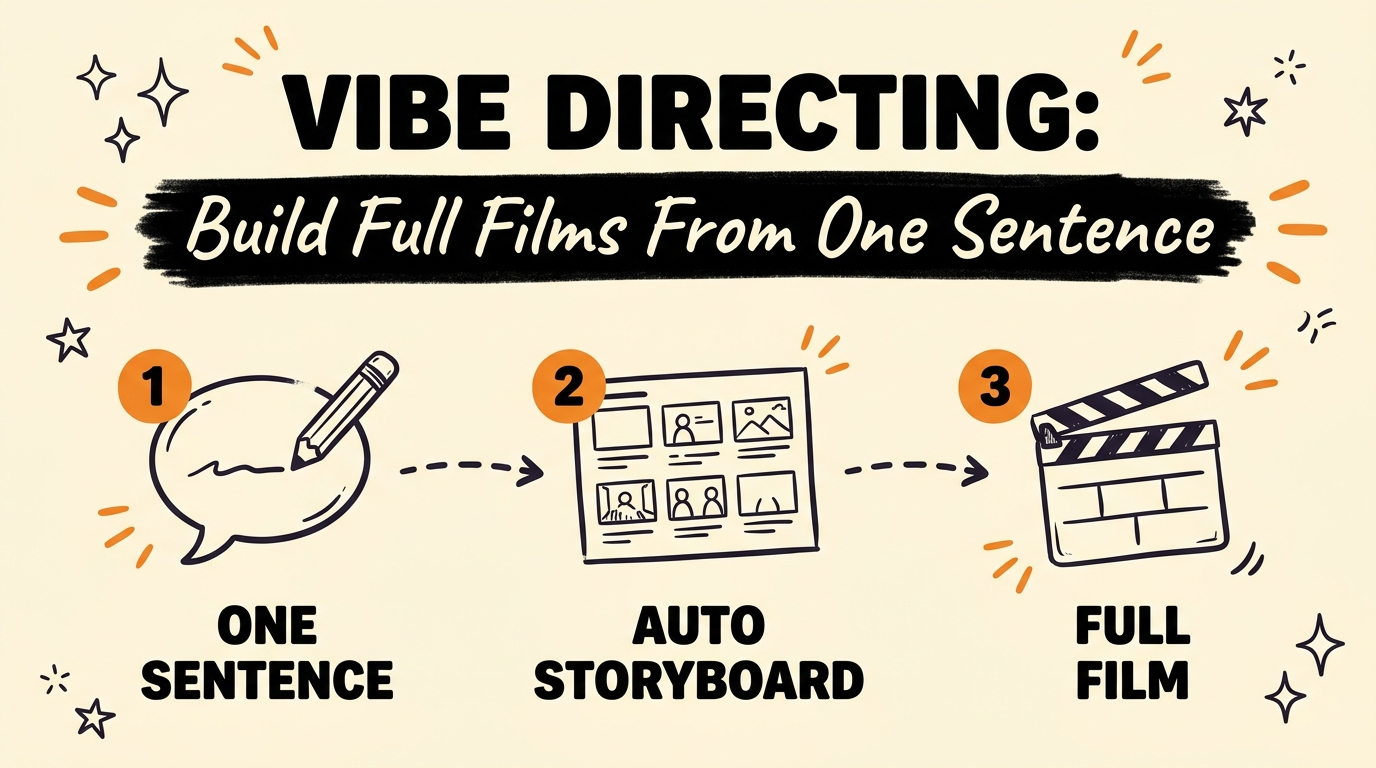
Vibe directing is a new AI filmmaking category — pioneered by OpenArt’s tool Director — where you describe a concept once, in a single sentence, and the AI generates the entire production around it. Instead of writing and stitching together one prompt per shot, you type one line, and Director returns a full storyboard: scenes, locations, and a matching music track, rendered as one continuous piece.
Get the Free Guide
Get the full playbook for writing one-sentence prompts that generate a complete storyboard, ad, or short film.
Get the free Vibe Directing Playbook →
What Is Vibe Directing, and How Does OpenArt Director Work?
Vibe directing means planning and rendering an entire multi-scene production from a single written concept, rather than prompting shot by shot. OpenArt’s Director, released in 2026, is the tool that popularized the term: type one sentence describing a character and arc, and it expands that sentence into a full storyboard, picks locations for each scene, generates the visuals, and scores a matching soundtrack — all from that one input.
Most AI video tools still work clip by clip — you write a prompt, get a few seconds of footage, write another prompt, and manually assemble the results in an editor. Director removes that manual assembly step. It treats the single sentence as a creative brief and handles the planning layer itself, which is the part of AI filmmaking that used to require an actual production team.
How Do You Turn One Sentence Into a Full Storyboard?
The workflow behind Director is deliberately simple: one sentence in, a full storyboard out. In practice it breaks down into four steps:
- Write one plain-language concept sentence describing your main character and their arc — for example, “a girl who rises from the streets to become a football legend.”
- Director expands it into a scene-by-scene storyboard, deciding how the story should be paced and where each beat happens.
- It auto-generates locations, visuals, and a matching music track for every scene in that storyboard, without additional prompting.
- It renders the full sequence as one continuous film, not a set of disconnected clips you have to stitch together.
That single-sentence-to-storyboard pipeline is also why Director works for more than films — the same input format applies whether the intended output is a short ad, a music video, or a piece of blog-style social content.
How Does Director Keep the Same Character, Face, and Voice Throughout a Film?
Character consistency across an entire narrative — not just a single clip — has been one of the hardest unsolved problems in AI video generation. As of July 2026, Director’s headline feature is that it holds the same character, same face, and same voice across a continuous film up to five minutes long, generated from that one original sentence.
This matters because most generative video tools reset visual identity between generations: the “same” character can look subtly different from clip to clip once you stitch multiple prompts together. Director instead treats the whole film as one render, which is what makes a five-minute, single-character arc possible without manual face-matching or voice-cloning between segments. If you’re already building AI-assisted video with a code-first stack, Remotion combined with Claude Code is a good comparison point for how consistency is handled when you control the render pipeline directly instead of relying on a single prompt-only tool.
Can You Edit a Single Shot Without Breaking the Whole Film?
Yes — Director’s timeline editor lets you open any individual shot, change it, and have the AI rebuild the surrounding scenes to stay consistent with that edit, instead of forcing a full regeneration from scratch. You jump into the timeline, adjust the one shot that isn’t working, and Director propagates that change through the neighboring scenes automatically.
This is a meaningful difference from typical single-prompt AI video generators, where changing one detail usually means re-running the whole prompt and hoping the new output still matches everything else. A propagating timeline edit keeps continuity intact across a multi-scene piece, which is the same continuity problem creators run into when assembling design-to-video pipelines like HyperFrames.
What Can You Build With Vibe Directing Besides Full Films?
The one-sentence-to-storyboard workflow isn’t limited to narrative films — the same pipeline produces several other content formats from the same kind of input.
| Use Case | What Director Produces |
|---|---|
| Full narrative film | A continuous piece up to 5 minutes, one character, face, and voice throughout |
| Ad creative | A storyboarded ad with generated scenes, locations, and music from one sentence |
| Music video | A scene sequence timed to a generated soundtrack |
| Blog / social content | Short-form visual content built from the same storyboard-and-render process |
If you’re comparing tools for turning a single piece of source content into multiple video formats, it’s worth also looking at how Higgsfield and Kie.ai handle carousel-to-video generation with Claude Code — a different route to the same “one input, many output formats” goal.
FAQ
What is vibe directing in AI video?
Vibe directing describes generating a full storyboard, scene set, and soundtrack from a single sentence instead of prompting shot by shot. OpenArt’s Director is the tool most associated with the term as of July 2026.
How long can a video be with OpenArt Director?
Director can generate a continuous film up to five minutes long, keeping the same character, face, and voice throughout — rather than a series of separately generated clips.
Can I use Director for ads and music videos, not just films?
Yes. The same one-sentence workflow applies to ads, music videos, and blog-style short content, using the same storyboard-to-render pipeline used for full films.
Do I have to regenerate the whole video if I change one shot?
No. Director’s timeline lets you edit a single shot directly, and it automatically rebuilds the surrounding scenes to keep the rest of the film consistent with your change.
Is vibe directing the same as normal AI video prompting?
No. Standard AI video prompting usually generates one clip per prompt that you edit together yourself. Vibe directing plans and renders an entire multi-scene production from one input sentence.
Vibe directing is still new, but the shift it represents is real: the planning and continuity work that used to require a production team is now handled by the AI itself, from a single sentence. If you want to build systems like this into your own content workflow, Vibe Coding Mastery is where we go deeper on exactly that.