
Claude Master Session: One Chat Runs Your Workflow
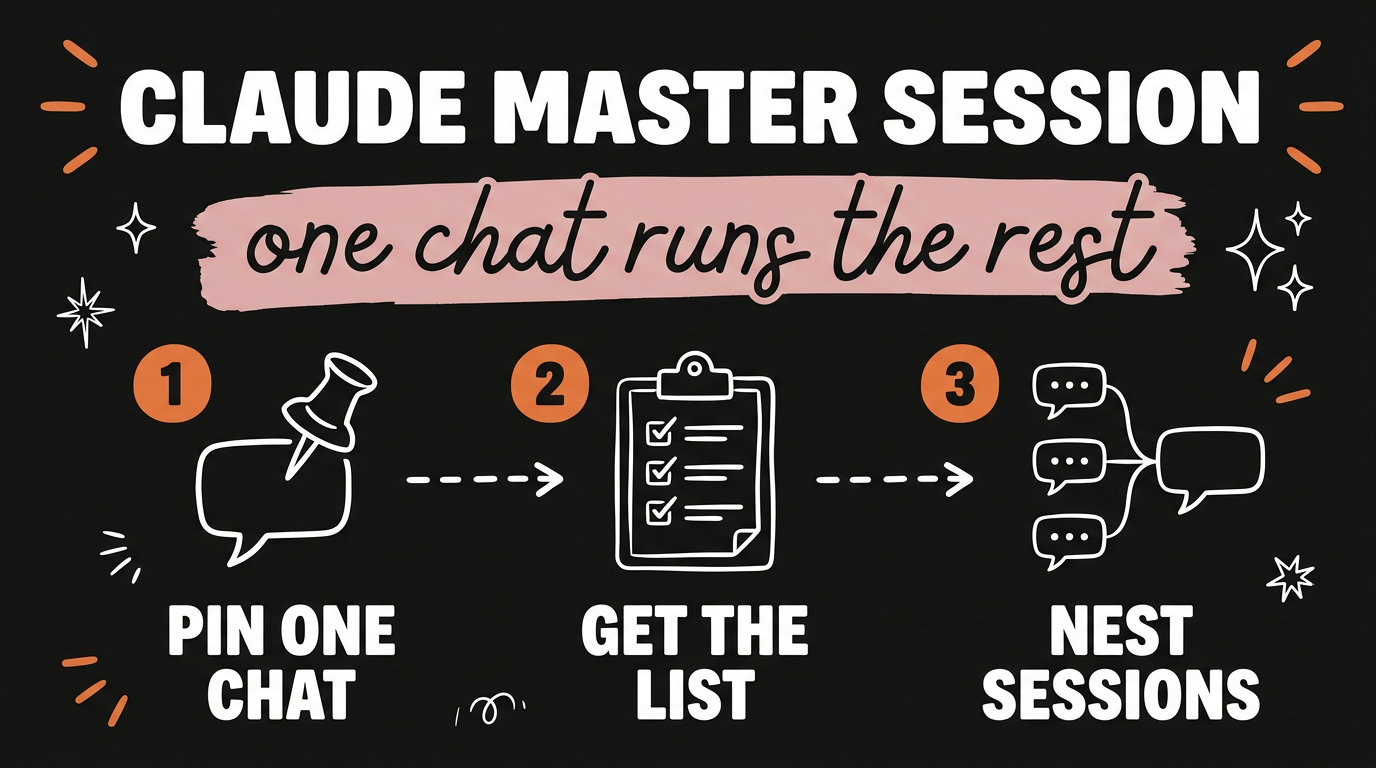
A Claude master session is one pinned chat that you put in charge of every other session you have open. You tell it that it is the manager, and from then on it reads your other sessions, tells you which decisions are waiting on you, starts new sessions when work needs one, and groups your chats into folders. Most people are still running Claude as a pile of unrelated tabs. The master session turns that pile into something you can actually ask questions about.
Get the Free Guide
The guide walks through the exact setup: where the master session lives, the instruction that puts it in charge, and the prompts that make it report back.
Get the free Claude Master Session Setup →
What Is a Claude Master Session?
A master session is a single Claude chat that you pin and give authority over your other sessions. The difference between that and a normal chat is reach. A normal chat only knows what you pasted into it. A master session can look across the sessions you have open, so it answers questions about your whole workload instead of one slice of it.
Three things it does once it has that authority:
- It reads your other sessions. Ask which decisions are waiting on you and it scans your chats, then hands back the list.
- It starts new sessions. When a piece of work needs its own chat, the master session opens one instead of you doing it by hand.
- It files things. Chats get grouped into folders automatically, so the ten open tabs become a few labelled groups.
That third one sounds small until you have been working for a week. The reason most people abandon their AI chats is not that the answers were bad. It is that they cannot find the chat where the good answer lived.
How Do You Set Up a Master Session?
Setup is three moves, and the order matters because the authority instruction has to land before you ask it for anything.
- Pin one chat. Pick the chat you already treat as your home base, or open a fresh one. Pin it so it stays at the top and you stop losing it.
- Tell it that it is in charge. This is the whole trick. You state plainly that this session manages your other sessions, that it can read them, open new ones, and organise them into folders. Without that instruction it behaves like any other chat.
- Ask it for the list. The first real question is “which decisions are waiting on me right now?” That one question is the test. If it comes back with a list pulled from your other chats, the setup took.
Keep the master session boring. It is a manager, not a worker. The moment you start drafting a sales page inside it, the context fills with sales page detail and the overview you built it for gets worse.
What Are Nested Sessions?
Nested sessions are the part that changes how much you can run at once. One main chat spins up sub sessions, one per task, and each sub session reports back to the main chat when it has something.
The shape looks like this:
| Layer | What lives there | What it reports |
|---|---|---|
| Master session | The pinned manager chat | The list of decisions waiting on you |
| Main project chat | One launch, one client, one campaign | Status of each task underneath it |
| Sub sessions | Sales page, emails, ads, one each | Their own output, back up to the main chat |
So a launch stops being one overloaded conversation. The sales page gets its own session, the email sequence gets its own, the ads get their own, and each one keeps its own context clean. You read the summary at the top instead of scrolling a chat that has three jobs in it.
If you want the parallel version of this idea pushed much further, the setup in running 100 Claude sub-agents in parallel uses the same split, one task per agent with its own context window.
Why Does Splitting Sessions Work Better Than One Big Chat?
Context is the reason. Every chat has a budget, and everything you put in it competes for that budget. A chat holding your sales page, your emails and your ads spends most of its attention remembering the other two jobs while working on the first.
Split them and three things get better at once:
- Each task keeps a clean context. The emails session only knows emails, so its emails get sharper.
- The summary layer stays readable. A main chat that only receives reports can tell you where the launch actually stands.
- Nothing gets lost in scroll. Finding the ad copy means opening the ads session, not searching a wall of text.
This is the same divide that separates the model from the system around it. If that split is new to you, how an AI agent’s brain and harness work covers it properly.
The Mistake That Makes a Master Session Useless
The common failure is treating the master session as another place to do work. People pin it, give it the authority instruction, then immediately ask it to write something long. Within an hour it is a normal chat again, full of one task’s detail, and it has lost the overview that made it worth pinning.
The rule is one sentence. The master session asks and assigns. It does not draft. When it tells you the email sequence needs attention, you open the email session and work there, then come back.
The other half of the discipline is reporting. A sub session that never reports back is just a chat you forgot about. Each one needs to end with its output summarised in a form the layer above can read. The two agents that split my content workload run on exactly that handoff.
FAQ
What is a Claude master session?
A Claude master session is one pinned chat that you put in charge of your other sessions. It reads them, tells you which decisions are waiting on you, starts new sessions when work needs one, and groups your chats into folders.
How do I make Claude read my other sessions?
You pin one chat and tell it plainly that it manages your other sessions and can read them. That authority instruction is what separates a master session from a normal chat, and it has to come before you ask it anything.
What are nested sessions in Claude?
Nested sessions are sub sessions spun up by a main chat, one per task. A launch might have a sales page session, an email session and an ads session, and each one reports its output back to the main chat.
Should I do my actual work inside the master session?
No. Keep it as a manager. Drafting inside the master session fills its context with one task’s detail and ruins the overview you pinned it for.
What is the first thing to ask a master session?
Ask which decisions are waiting on you. If it returns a list pulled from your other chats, the setup worked. If it asks you what sessions you mean, the authority instruction did not land.
Start With One Pinned Chat
Pin a chat, tell it it is in charge, and ask it what is waiting on you. That is the whole first step, and it takes about two minutes. Once the list comes back, add the nested layer and give each task its own session.
If you want the same thinking applied to publishing, that is what I built Content Engine for. Paste any link or any idea and get a published video in under 3 minutes, with DM automation armed to capture leads. Meet Content Engine →