
I Built an AI OS That Actually Executes My Goals (Chief Wiggum 2.0)
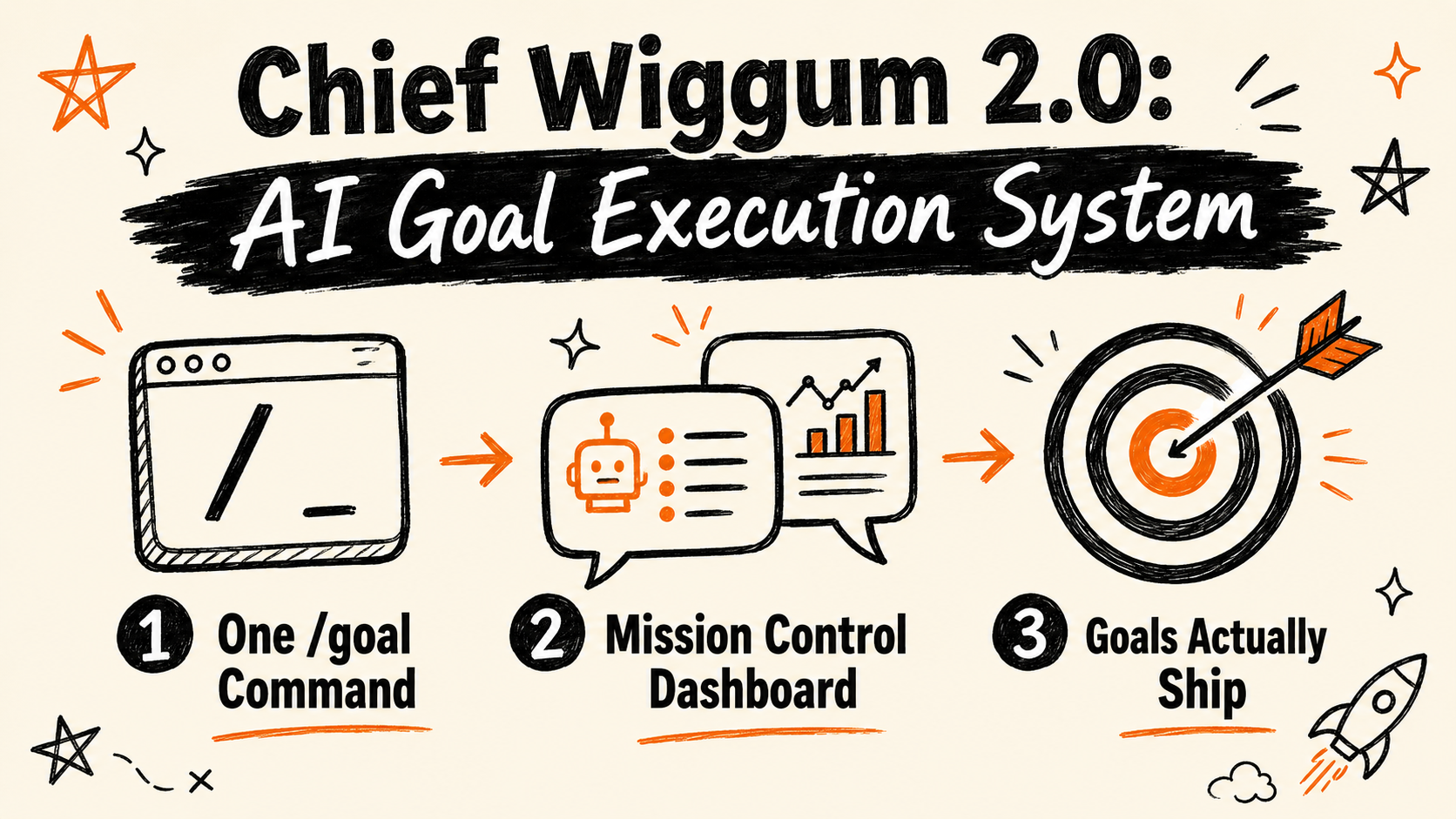
Most productivity systems have the same fatal flaw: they help you organise your goals, not execute them. You end up with a beautiful Notion board full of things that never ship. I built Chief Wiggum 2.0 to fix exactly that — an AI operating system inside Claude Code that takes a goal, decomposes it, and actually runs it.
This post walks you through the two-layer system: short-term goals for single sessions and long-term goals for four-week missions. Both run in Claude Code (or Hermes Agent), and together they form a Claude Code goal execution system where work either ships or it doesn’t.
Get the Free Guide
The paste-ready skill blocks for both the Short-Term Goal system and Mission Control — everything you need to run your first goal today.
Get the Chief Wiggum Goal Execution System →
What Is Chief Wiggum 2.0?
Chief Wiggum 2.0 is a two-layer AI goal execution system built on Claude Code. It’s named for a reliable operator who gets things done — not glamorously, but consistently. Two primitives run the whole thing:
- Short-Term Goals — single-session binary outcomes executed in ~20 agent turns with you in the chat
- Long-Term Goals — 4-week binary outcomes decomposed into 4–10 mini-goals, tracked on a Mission Control dashboard
Neither layer is new as a concept. What makes the system work is the combination: long-term goals give you a sequenced roadmap; short-term goals give you the execution engine to run each step.
Layer 1: Short-Term Goals — The /goal Command
A short-term goal is one binary outcome you want shipped in a single sitting. You paste a skill block into a fresh chat, describe what you want, and the agent writes a /goal prompt for you. That prompt fires the slash command in Claude Code, Codex CLI, or Hermes Agent, and the agent runs until the thing is done.
Every /goal must satisfy three rules before the agent can run it efficiently:
1. Measurable. A judge can answer YES or NO. Not “make the site better” — “wire Stripe checkout to the pricing page and have a test payment show in the dashboard.” If the outcome is fuzzy, the agent will ask one sharp question to make it concrete.
2. Scoped to ~20 turns. It fits one sitting. Not “build the SaaS” — “add a signup form at /signup that POSTs to /api/subscribe.” If it’s too big, ask for the smallest version that still counts as a win.
3. Self-served. The agent has every credential, file, and API key it needs upfront, without fetching mid-session. If you haven’t shared the keys, the agent can’t run — so include them in the prompt or point to where they live.
The prompt must also begin with the literal characters /goal — forward slash, the word goal, then a single space. That prefix is what fires the slash command. No markdown fence, no preamble.
When /goal succeeds: closed-world deterministic tasks — scaffolding, refactoring, generating content from a spec, research-and-summarise to file, running a generation pipeline.
When it stalls: ambiguous requirements where the agent loops without converging, tasks where you need to physically leave the chat, or anything that needs irreversible real-world action (send money, post publicly, sign as you).
Layer 2: Long-Term Goals — Mission Control
A long-term goal is a 4-week binary outcome. Too big for one /goal session, but small enough to ship in a month. Instead of running it as a single giant prompt that drifts past 100 turns, you decompose it.
Mission Control is the local dashboard (at localhost:8081) that persists, visualises, and ticks off mini-goals as you ship them. The flow:
- Paste the skill into a fresh Claude Code or Hermes chat
- State your goal — a sentence or short paragraph
- Answer 4–8 discovery questions — current state, scope, available assets, constraints, what “shipped” looks like
- The agent decomposes silently — drafts 4–10 mini-goals, assigns each to either an agent or to you, and writes a full briefing for every card
- The mission is POSTed to Mission Control via curl — the HTTP response is the verification
Each card in the dashboard has a copy button. Agent cards give you a /goal prompt ready to paste. Human cards give you a step-by-step briefing for what to do offline. Tick a card when it’s done.
The Actor Rule: Agent vs. Human
Every mini-goal gets one actor. The rule is one question: can the agent finish this inside a single working session, with me in the chat?
If yes — it’s an agent card. Decisions, taste picks, approvals — all of that happens in the chat. If no, because you need to physically leave (recording on camera, running a live call, signing a document, waiting on someone else) — it’s a human card.
The default leans agent. The chat absorbs almost everything.
How the Two Layers Work Together
Start with a long-term goal. Get the decomposed mini-goals in Mission Control. Work down the list: open the first agent card, copy the /goal prompt, and run it in a fresh session. Done in one sitting. Tick it. Move to the next.
Long-term goals give you the map. Short-term goals give you the engine. Nothing lives in planning limbo — every card either ships or surfaces a blocker.
Get the Paste-Ready Skill Blocks
The free guide has both skill blocks — the short-term /goal authoring partner and the long-term Mission Control skill — ready to copy into Claude Code or Hermes Agent. It also includes the three-rule checklist and a quick-start guide for running your first mission.
Grab the Chief Wiggum Goal Execution System →
Comment WIGGUM on the video and I’ll send it to your DMs.
Want to go deeper on agentic systems with Claude Code? Vibe Coding Mastery is a library of ready-to-deploy AI automation systems for creators and entrepreneurs — not a course, not theory. Systems you switch on and use today.